 Roni Bandini

Part of Meshtastic’s appeal comes from its readiness for a dystopian scenario without Internet or grid power. In that context, small devices with minimal energy requirements — capable of forming an ad-hoc communication mesh — start making a lot of sense.
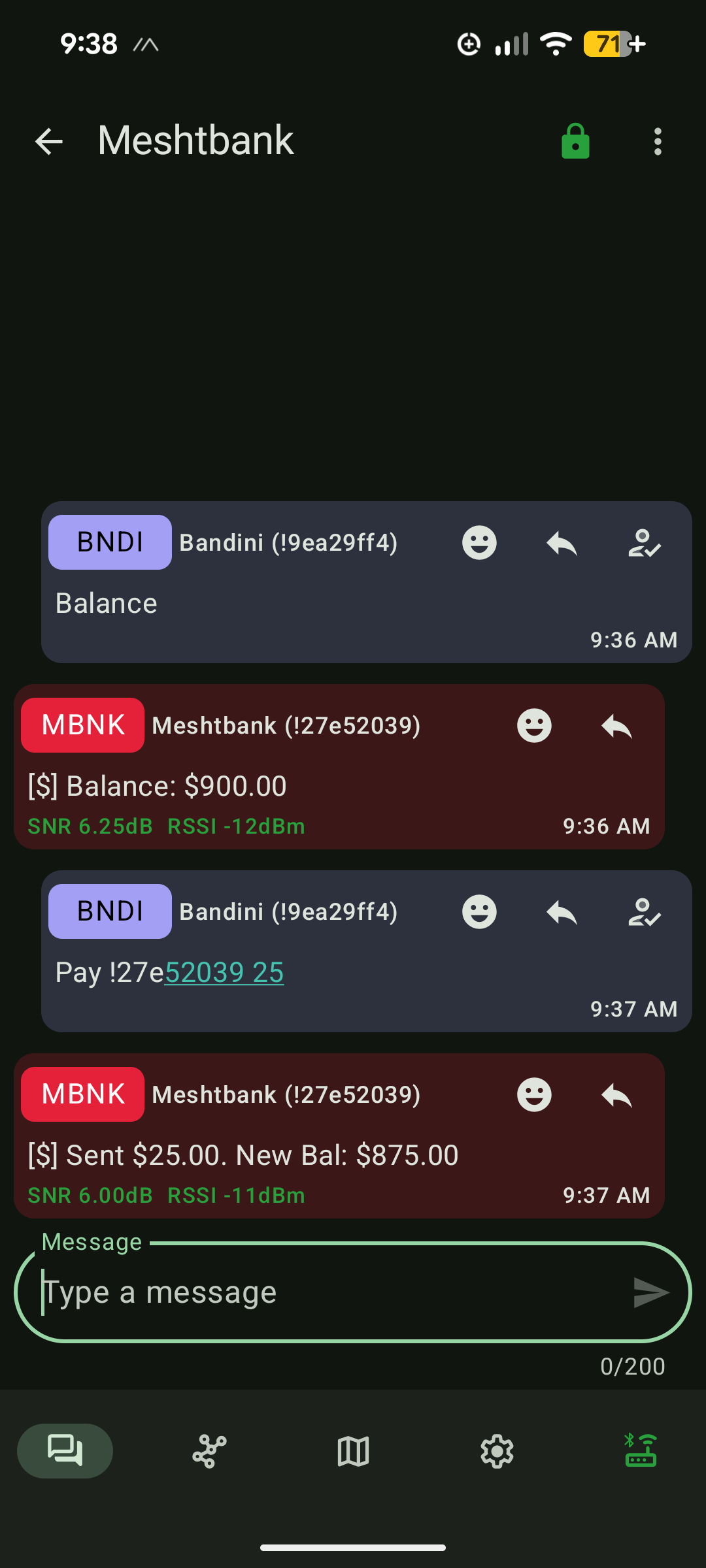
But without Internet or mains electricity, the banking system — servers, clearing networks, SWIFT links, ATMs, and POS terminals — becomes unusable. The same fate applies to any cryptocurrency infrastructure, which depends heavily on Internet availability and high energy consumption.
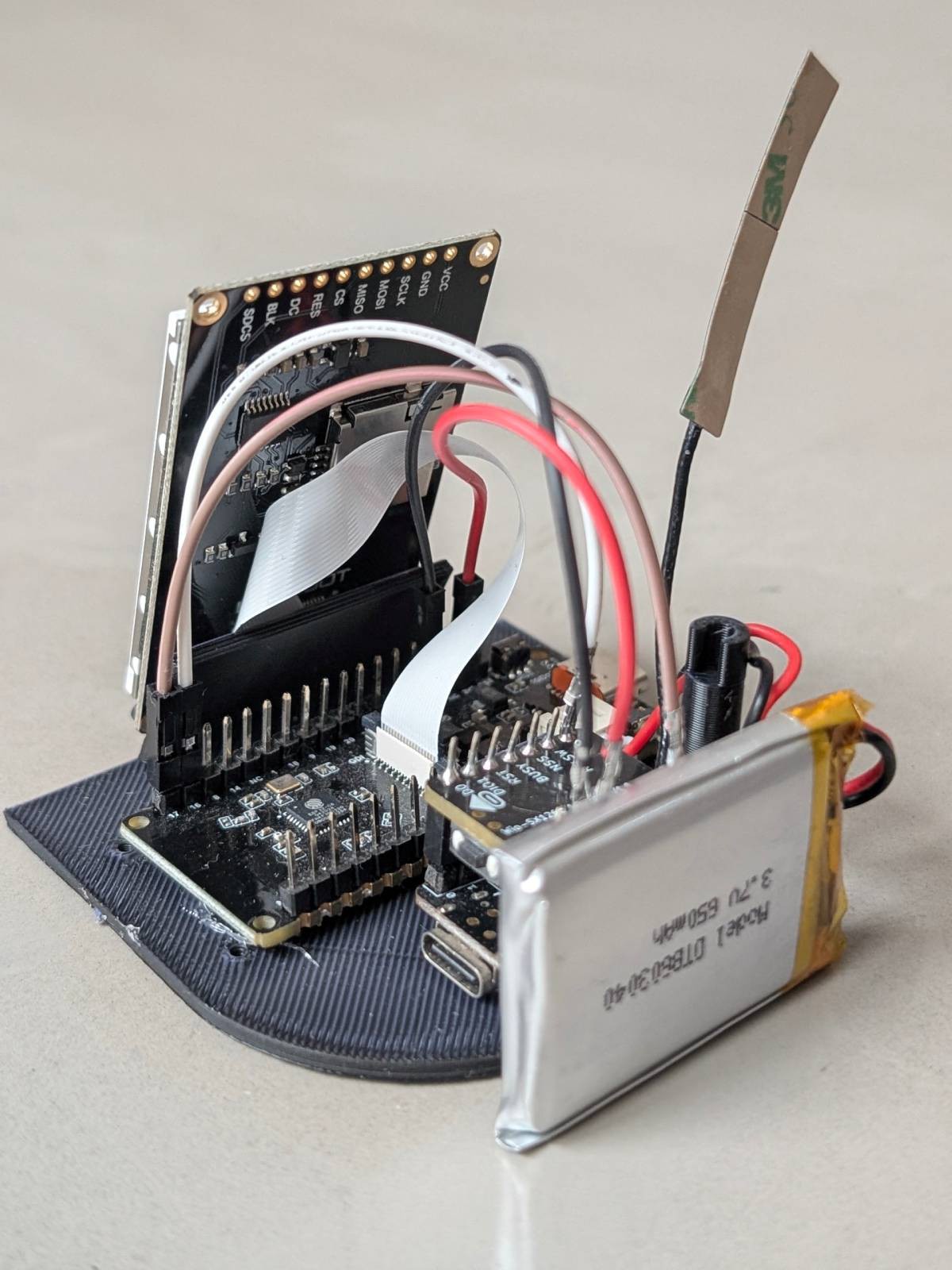
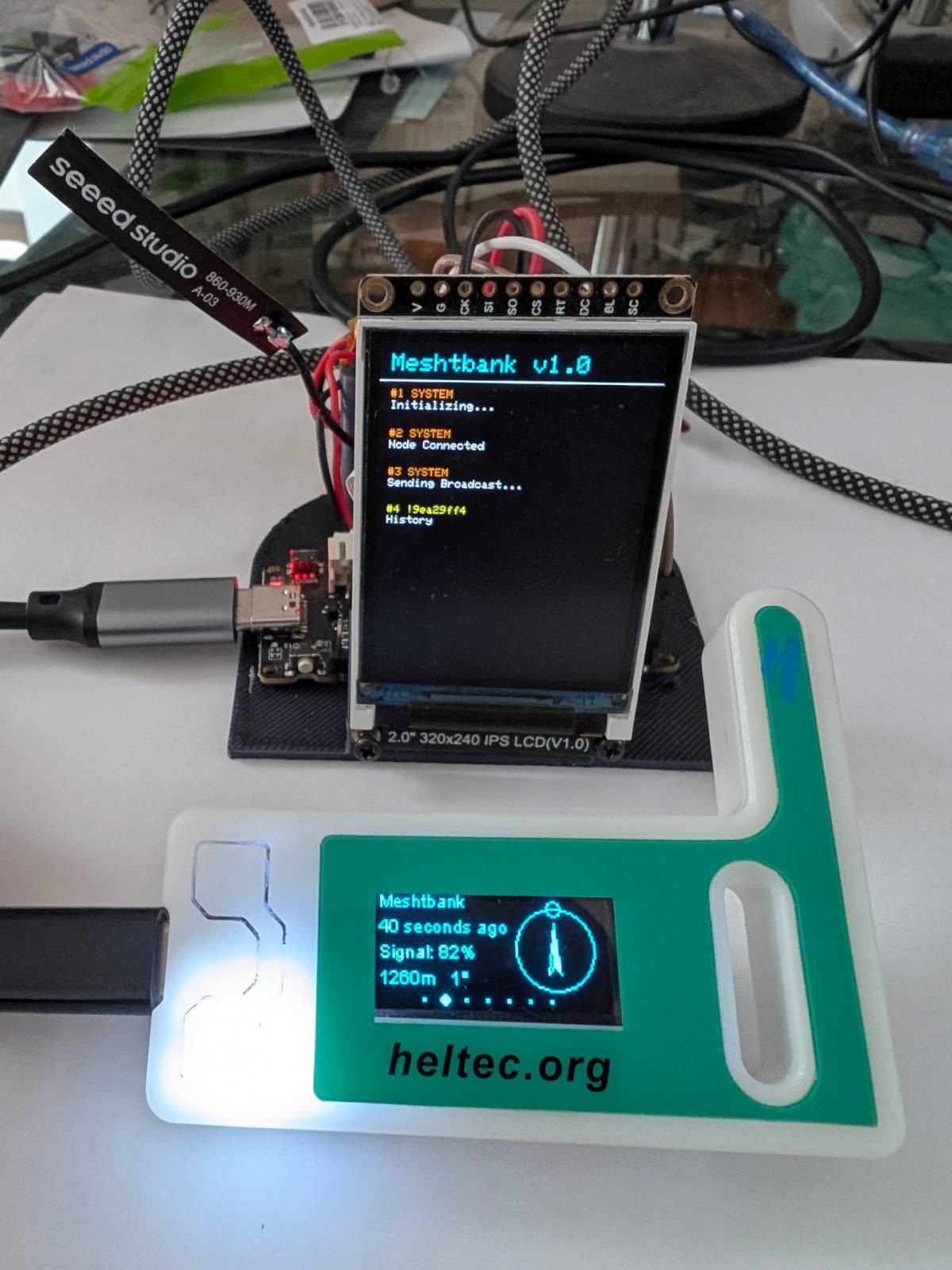
With no guarantee that this project would ever be useful or even meaningful, I decided to develop a node called Meshtbank. Meshtbank maintains a central ledger with users, transactions, and balances. It uses the default channel to broadcast system information such as activation and command notices, and it uses direct messages for all operations. An administrator, authenticated through a PIN, can remotely operate the system: creating and deleting accounts, or checking balances and transaction histories.
Parts
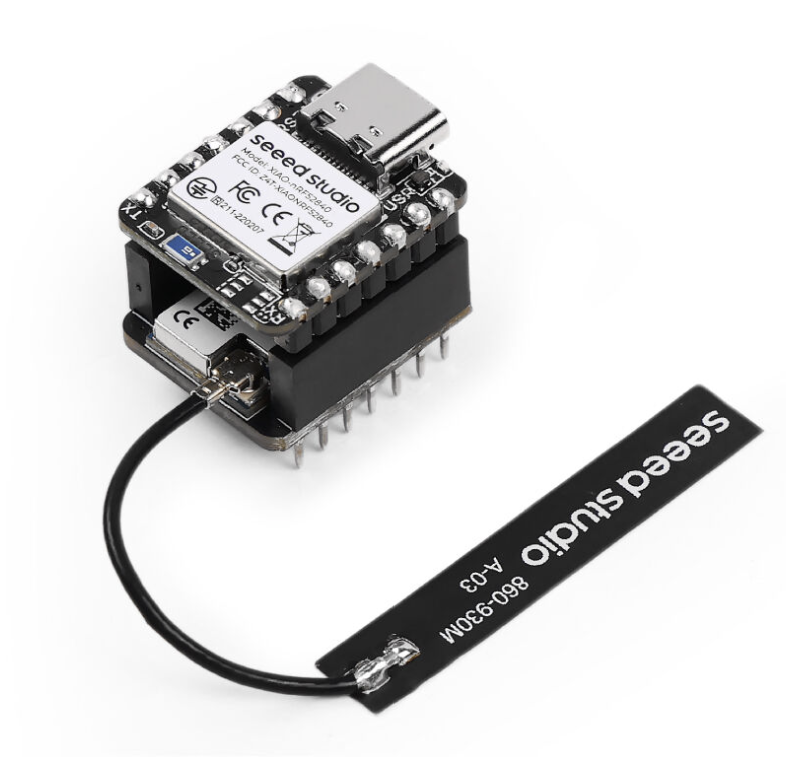
- 1 × Xiao nRF52840 + Xiao SX1262 LoRa shield
- 1 × FireBeetle 2 ESP32C6 board
- 1 × 2.0-inch TFT display, 320×240 px
- 1 × 3.7V battery
Meshtbank runs on battery power, and the FireBeetle board supports the connection of a small solar panel, allowing it to operate without the electrical grid. The LCD display is optional and can be disconnected to reduce power consumption.
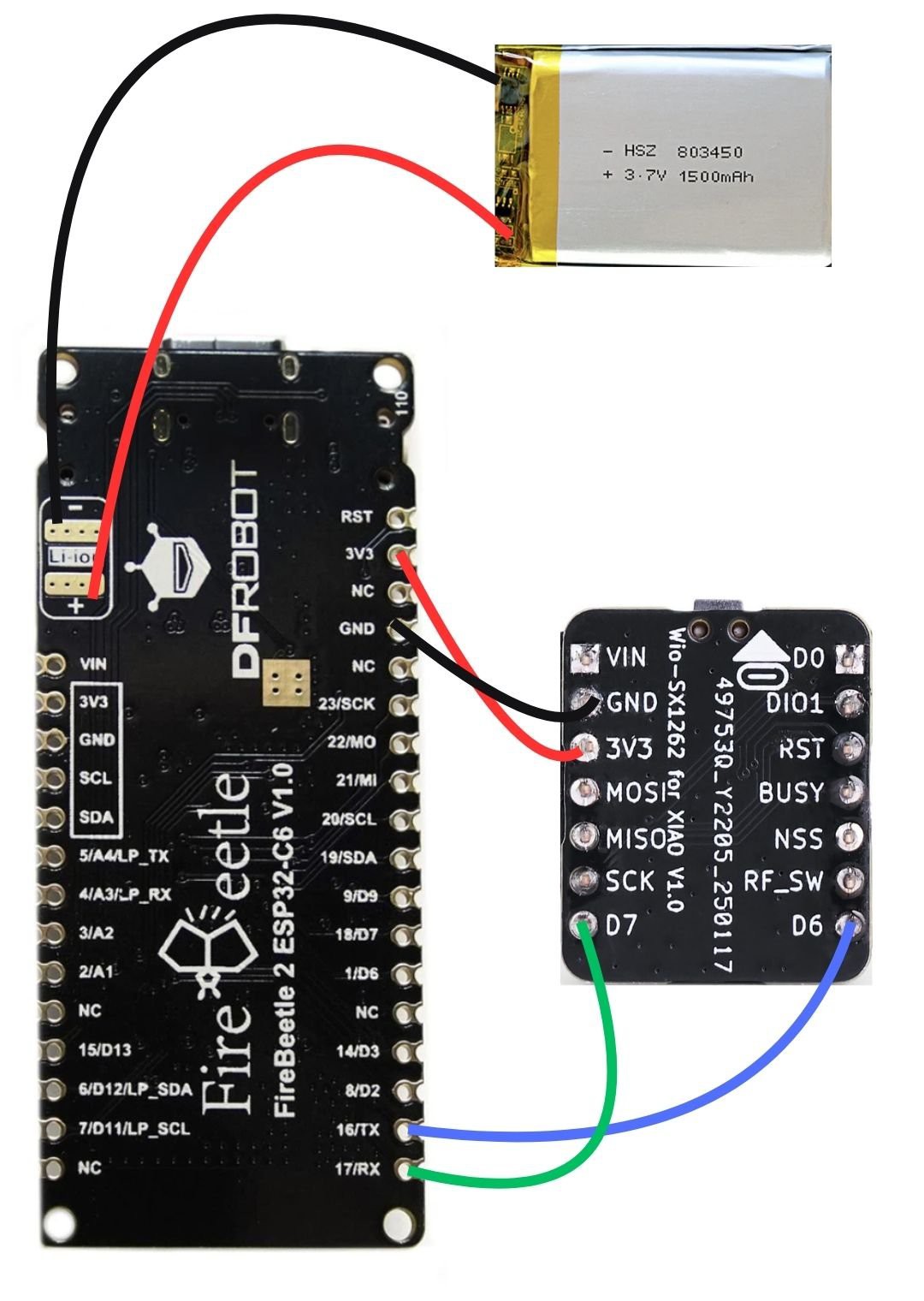
Circuit
The circuit consists of mounting the SX1262 shield onto the Xiao nRF52840, then wiring jumper connections for 3V3 and GND. Connect FireBeetle pin 17 to Xiao pin 7, and FireBeetle pin 16 to Xiao pin 6. It’s a good idea to remove the plastic housings from the jumper cable tips and lightly crimp the connectors going into the SX1262, since the headers are very thin and jumper cables often fit poorly. LCD screen is connected using a GDI cable, so no worries about pins.
Software
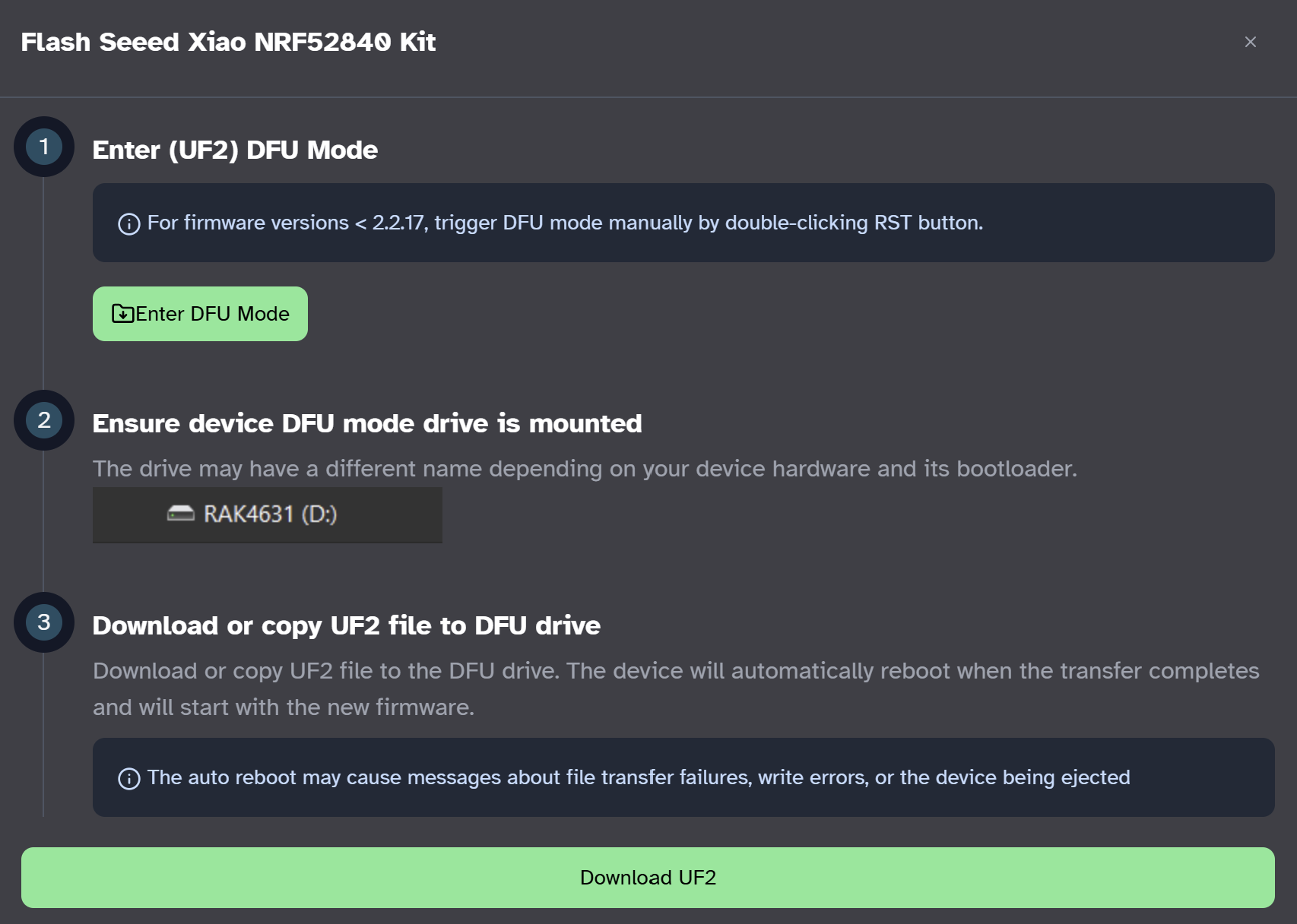
Install the Meshtastic firmware on the Xiao using https://flasher.meshtastic.org/. You usually need to press the tiny Boot button before plugging in the USB cable. In my case I ran into several “0x800701B1 a device which does not exist was specified” errors, which I solved by manually dragging and dropping the UF2 file.
After flashing, connect the USB cable, visit https://client.meshtastic.org, choose serial mode, and configure the module: set region, set the main channel name to Meshtbank, set the Serial module to Proto mode, and assign pin 7 as TX and pin 6 as RX.
Install the LCD and Meshtastic Arduino libraries in the Arduino IDE: DFRobot_GDL-master.zip and Meshtastic-arduino-master.zip.
If you haven’t changed the default channel parameters, it’s a good idea during testing to set hops to 1 and disable MQTT to avoid message propagation.
Operation
User commands (via DM):
balance— Shows current balance.pay <User_ID> <Amt>— Transfers funds (example:pay !27e52039 50).history— Shows transaction history.history <N>— Shows line N of history.help— Lists available commands.
Admin commands (with password):
setup <Pass> <User_ID>
	<Amt>
— Create/overwrite a user with an initial balance.delete <Pass> <User_ID>— Delete a specific user.reset <Pass>— Factory reset (wipes all data).listusers <Pass>— List all users and balances.checkbal <Pass> <User_ID>— View a user’s balance.checkhist <Pass> <User_ID>— View a user’s history.
Conclusions
Meshtbank is an early, experimental project intended to explore what Meshtastic could offer as a foundational network layer for replicating applications that might be essential in scenarios without Internet or grid power.
While authentication relies on the same security Meshtastic uses for node identity, future work is needed: exploring identity-spoofing risks, the feasibility of decentralizing balances, and adding transaction timestamps to start.
Source code
https://github.com/ronibandini/Meshtbank...
Read more »
 icstation
 Ai-Thinker
 teru
teru
 jurc192