 pcbmaster
Reverse engineering a PCB (Printed Circuit Board) is the process of analyzing and deconstructing an existing electronic circuit to understand its design and functionality. It’s a powerful method for learning how electronics work at a deeper level and gaining insight into the design principles that guide the creation of complex circuits. By breaking down a PCB, you can uncover how each component interacts with others, the pathways they use to communicate, and the underlying logic that makes a device function. This approach isn't just about understanding; it's about unlocking the potential for modification and innovation.
The beauty of reverse engineering lies in the creative freedom it offers. Learning how to reverse engineer a circuit board opens up a world of possibilities for creating custom solutions and tweaking existing electronics. By dissecting a PCB, you gain the skills to modify a device to suit your needs, whether that’s adding new features, improving performance, or repairing broken gadgets. The ability to hack your own circuit boards allows you to take control of the design process, bringing your own ideas to life without being restricted by off-the-shelf solutions. It's all about the DIY spirit—whether you're fixing old electronics, making enhancements, or building entirely new systems from recycled components. This hands-on approach fosters not only a deeper understanding of electronics but also a sense of empowerment that comes with mastering the art of modification and invention.
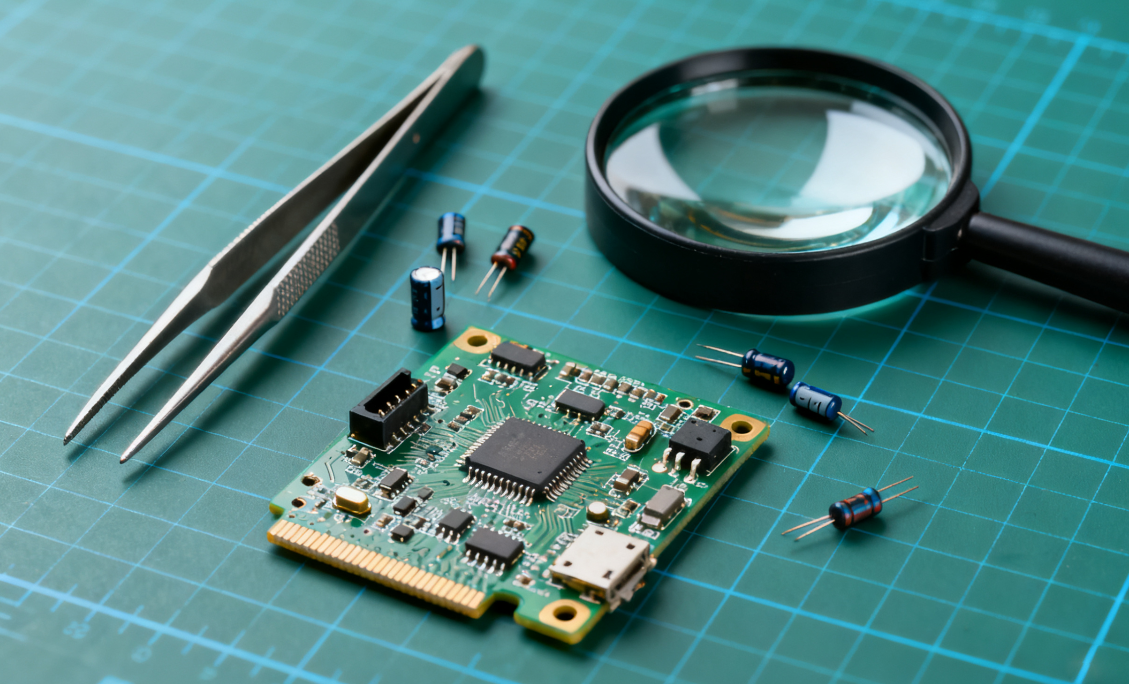
Understanding the Basics of PCB Components
What is a PCB?
A Printed Circuit Board (PCB) is the foundational component of most electronic devices, acting as both the physical platform and electrical backbone that connects and supports the electronic components. It provides a structure where components like resistors, capacitors, and microchips can be mounted, while copper traces on the board create the necessary electrical connections between them. PCBs are used in nearly every electronic product, from smartphones and computers to microwaves and medical devices. The role of a PCB is to physically hold the components in place, connect them electrically, and ensure that the device operates efficiently by managing power and signal flow.
PCBs come in different forms, such as single-layer, double-layer, or multi-layer designs, depending on the complexity of the device. For example, a simple device like a flashlight might use a single-layer PCB, while more advanced devices, like computers or smartphones, may use multi-layered boards to accommodate the numerous connections required for complex operations.
Key Components on a PCB
Resistors, Capacitors, Diodes, Inductors: Basic Functions and Identifying Them on a Board
- Resistors: Resistors limit or regulate the flow of electrical current in a circuit. They are essential for controlling voltage levels and current flow to protect components from excess electricity. On a PCB, resistors are typically represented by small rectangular or cylindrical components with color bands indicating their resistance value.
- Capacitors: Capacitors store electrical energy temporarily and then release it when needed. They help in smoothing out fluctuations in power supply, filtering signals, or timing operations. Capacitors on a PCB are often cylindrical or disc-shaped, and their value (measured in microfarads or nanofarads) is usually marked on the component.
- Diodes: Diodes allow current to flow in only one direction, acting as a one-way valve for electricity. They are commonly used for protecting circuits by blocking reverse current flow or converting AC (alternating current) to DC (direct current). On a PCB, diodes are often small cylindrical components with a stripe indicating the cathode end.
- Inductors: Inductors store energy in a magnetic field when electrical current flows through them. They are often used for filtering, energy storage, or in power regulation. Inductors appear as coiled wires or cylindrical components with multiple turns of wire around a core.
ICs and Transistors: Their Role in Complex Circuits and How to Read Their Markings
- Integrated Circuits (ICs): ICs are miniaturized circuits containing multiple electronic components, such as transistors, resistors, and capacitors, all packed into a single chip. They play a crucial role in processing, amplification, or logic operations within devices like microprocessors, memory modules, and signal processors. ICs on a PCB can range from small, simple logic gates to complex microcontrollers or processors. The markings on ICs typically include a part number, which can be cross-referenced to identify the specific IC and its capabilities.
- Transistors: Transistors are semiconductor devices used to amplify or switch electronic signals. They can control the flow of electrical current and are integral to modern electronics, especially in amplifiers and digital circuits. On a PCB, transistors may appear as small three-legged components, and their markings indicate the type (e.g., NPN, PNP) and specifications (e.g., voltage, current ratings).
Connectors, Jumpers, and Traces: Understanding Connectivity and Signal Flow
- Connectors: Connectors are components that allow the PCB to interface with other devices or external circuits. These can range from simple pin headers for interfacing with wires to more complex connectors for USB, HDMI, or power inputs. On a PCB, connectors typically have multiple pins or pads arranged in a specific pattern, depending on their intended use.
- Jumpers: Jumpers are small pieces of conductive material used to connect two points on a PCB. They allow for manual configuration or modification of the circuit, such as changing a voltage setting or enabling/disabling certain features. Jumpers are typically marked with a small set of pins that can be connected or disconnected using a jumper cap or solder bridge.
- Traces: Traces are the conductive paths made from copper that connect the different components on the PCB. These traces serve as the wiring that directs electrical signals and power throughout the circuit. The width of the trace is determined by the amount of current it needs to carry, and designers must ensure that traces are properly routed to avoid interference or short circuits.
How PCB Design Affects Functionality
The layout of a PCB plays a crucial role in determining the overall functionality, performance, and reliability of the circuit. Proper placement of components and careful routing of traces can prevent issues like signal interference, power loss, and component overheating. For example, power and ground planes must be carefully designed to minimize noise and ensure stable voltage levels throughout the circuit. Sensitive components, such as oscillators or high-speed digital circuits, need to be placed in areas where their performance is least affected by electromagnetic interference from other parts of the board.
Another key consideration in PCB design is thermal management. Components that generate heat, such as power transistors or voltage regulators, need to be placed in positions where heat can dissipate efficiently. Thermal vias and copper pours are commonly used to distribute heat across the board and prevent overheating.
To assist with PCB design, engineers typically use specialized PCB design software, such as KiCad, Eagle, or Altium Designer. These tools help to create the board layout, simulate the electrical performance of the circuit, and generate the files necessary for manufacturing the PCB. The software also provides checks for common design errors, such as trace width violations, signal integrity issues, or incorrect component footprints.
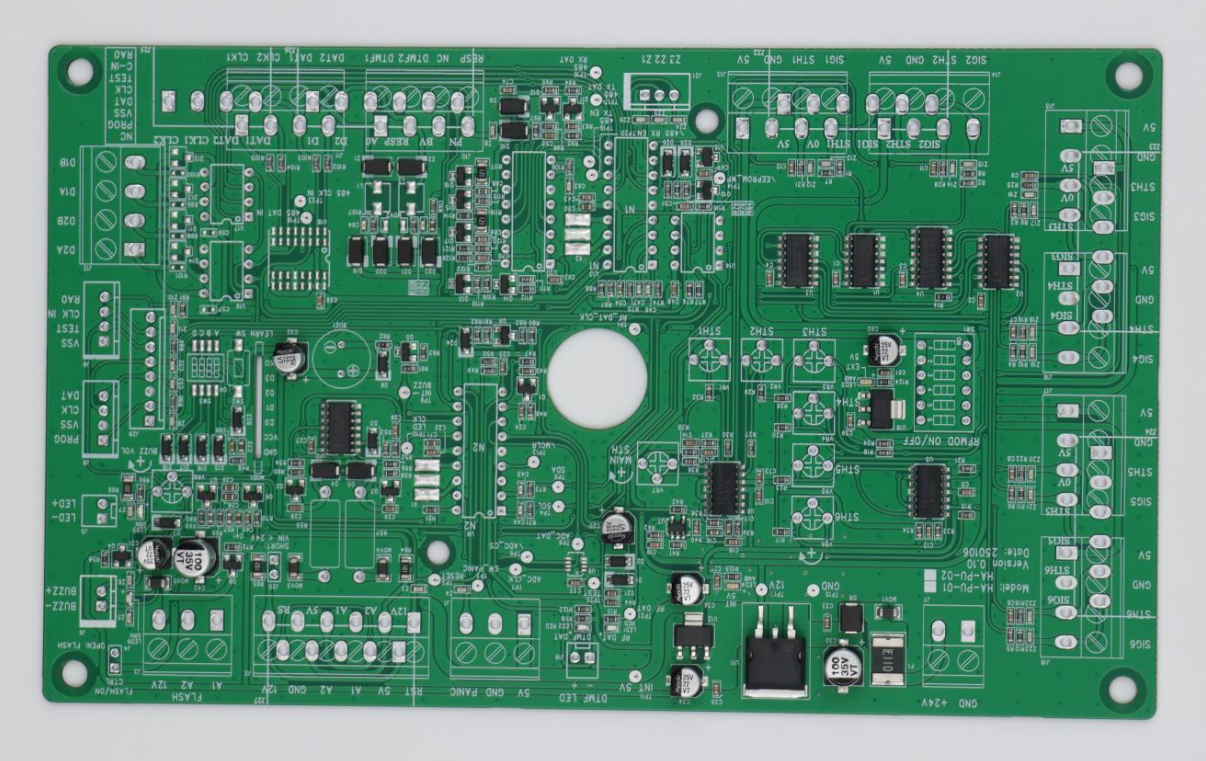
The Reverse Engineering Process
Step 1: Gathering Tools for the Job
Before diving into PCB reverse engineering, it's essential to gather the right tools to perform the job efficiently and safely. Here are the tools you’ll need:
Basic Tools: Multimeter, Soldering Iron, Heat Gun, Magnifying Glass, Oscilloscope (Optional)
- Multimeter: A digital multimeter is an indispensable tool for any reverse engineering project. It’s used to measure voltage, current, and resistance, allowing you to check for continuity in traces, measure the voltage at various points, and test the functionality of individual components.
- Soldering Iron: This is required for removing and reattaching components to the PCB. You'll need a fine-tipped soldering iron for precision work, especially when desoldering tiny components without damaging the board.
- Heat Gun: A heat gun can be used to soften solder and make component removal easier. It’s particularly useful for components that are surface-mount or have multiple pins.
- Magnifying Glass or Loupe: Since many PCB components are small and closely packed, a magnifying tool is crucial for inspecting the fine details, such as component markings, trace paths, and solder joints.
- Oscilloscope (Optional): For advanced analysis, especially in complex circuits, an oscilloscope allows you to view the waveform of signals traveling through the PCB. It can be useful for diagnosing signal integrity or timing issues in active circuits.
Software Tools: KiCad, Eagle, Fritzing, or Reverse Engineering-Specific Software
- KiCad: A free and open-source PCB design tool that can be used for reverse engineering. It helps in generating schematic diagrams, routing traces, and creating a complete PCB design based on your analysis.
- Eagle: A popular PCB design software that’s widely used by hobbyists and professionals. It offers a variety of tools for designing and simulating PCBs, and it can also be used to document a reverse-engineered circuit.
- Fritzing: A simpler tool that’s excellent for beginners, especially when you want to visualize your reverse-engineered circuit and create easy-to-read schematic diagrams.
- Reverse Engineering-Specific Software: Some software tools specialize in extracting design files from existing PCBs, such as Altium Designer or CopperCam. These tools can be particularly useful when working with more complex multi-layer boards.
Desoldering Tools: How to Remove Components Carefully
- Desoldering Pump: A desoldering pump, also called a solder sucker, is a small device that creates a vacuum to suck up molten solder. It’s used to clear solder from component leads, making it easier to remove them from the PCB.
- Desoldering Braid: A braided copper wire coated with flux that, when heated, absorbs the excess solder from the PCB. It’s helpful for removing solder from hard-to-reach areas or multi-pin components.
- Soldering Iron with Desoldering Tip: Some soldering irons come with specialized desoldering tips that make it easier to target specific leads or pads on the PCB for removal.
Step 2: Disassembling the PCB
Safety First: Powering Down, Handling Components Carefully
Before starting the disassembly process, always ensure that the device is powered down and unplugged. If you're working with an active circuit, discharging capacitors is crucial to prevent accidental electric shocks. Wear an anti-static wrist strap to prevent static damage to sensitive components. Handling the PCB by the edges or using gloves is also a good practice to avoid contaminating the surface with oils or dirt.
Taking Apart the Circuit: Use of Heat Guns, Desoldering Pumps, and Soldering Irons to Remove Components
To disassemble a PCB, begin by carefully examining the component placement and identifying any components that need to be removed. Use a heat gun to soften the solder on surface-mount components, allowing you to gently lift them off the PCB. If you’re working with through-hole components, you’ll need a desoldering pump or desoldering braid to remove the solder from each pin.
- For through-hole components: Heat the solder joints with a soldering iron and use a desoldering pump or braid to clear the joints, allowing the component to be removed from the board.
- For surface-mount components: Use a heat gun to evenly heat the entire area, making the solder soft. Then, gently lift the components off using tweezers or a small pry tool. Be cautious not to damage the pads on the PCB, as these are crucial for rework or reassembly.
If necessary, tinning the leads of the components or applying extra solder before desoldering can help create a better solder joint for easier removal.
Step 3: Analyzing the PCB Layout
Mapping Out the Traces: Visualizing the Signal Flow Using a Multimeter or Magnification Tools
Once the components have been removed, it's time to map out the PCB layout. This involves tracing the copper paths (traces) that connect different components and understanding how the circuit functions. A multimeter can be used to test for continuity along the traces, helping you to understand the signal flow and identify the connections between different parts of the circuit.
Using a magnifying glass or microscope, you can inspect the traces more closely to detect any damaged or broken connections. Pay attention to key areas such as the power rails, ground connections, and any signals that are routed to different parts of the circuit.
Identifying Critical Components: Focus on Power Sources, Ground Connections, and Any Complex ICs
While mapping the traces, be sure to identify critical components that manage power, control signals, and data flow. This includes:
- Power sources: Trace the path from the power input to the various components that require voltage. Look for decoupling capacitors near power pins of ICs and microcontrollers.
- Ground connections: Ensure that the ground plane is properly routed and connected across the entire PCB. Misconnected or missing ground connections can cause circuit instability.
- Complex ICs: Identify any microcontrollers, memory chips, or power management ICs. These often serve as the brain of the circuit and can be complex to reverse-engineer. Understanding how they interface with other components will give you valuable insight into the overall design.
Step 4: Documenting the Circuit Design
Creating Schematics: Manual or Using Reverse Engineering Tools to Reproduce the Circuit Diagram
Once you’ve mapped out the PCB, the next step is to create a schematic diagram. This can be done manually by drawing the circuit on paper, or more commonly, using software like KiCad, Eagle, or Fritzing to replicate the circuit in digital form. The schematic should accurately represent the connections between all the components on the PCB, including power and ground paths, signal flows, and the relationships between active components like ICs and transistors.
Creating a Bill of Materials (BoM): Identifying Components for Replacement or Modification
A Bill of Materials (BoM) is a list of all the components used in the circuit. As you reverse-engineer the PCB, identify each component by its part number, value, and package type. This will help you if you need to replace faulty components or modify the design. The BoM should include not just the basic components like resistors and capacitors, but also special components like ICs, transistors, and connectors. This list will serve as a reference for reworking the design or recreating the circuit from scratch.
By following these steps, you’ll be able to reverse-engineer a PCB effectively, understand its inner workings, and gain the skills necessary for modifying or improving the design.

Hacking Your Own Circuit Board
Why Hack a PCB?
Hacking a PCB allows you to modify or repurpose an existing electronic device to suit your specific needs. Whether it’s adding new functionality, repairing a broken device, or upgrading the performance of a circuit, PCB hacking is a powerful way to enhance your projects and extend the life of old electronics.
Modify Functionality for Custom Projects
One of the main reasons to hack a PCB is to customize its functionality for specific applications. For example, you can add Bluetooth to a simple device like a speaker, enabling wireless communication. Or you can increase the power output of a power supply by upgrading components like capacitors or regulators to handle higher current loads. Modifying an existing circuit can be a great way to incorporate modern features into older devices or to adapt a product to meet the needs of a new project.
Fixing or Repairing Old Electronics by Adapting Them to New Uses
PCB hacking is also a great way to fix and repurpose old electronics. Many electronics end up discarded due to small faults or because they no longer serve their original purpose. Instead of tossing them, you can repair the faulty components or redesign the circuit to give the device a second life. For instance, a broken router can be transformed into a useful network switch, or an old power supply can be converted into a battery charger.
Step 1: Deciding on Your Hack
Before you start modifying a PCB, it’s important to decide what you want to achieve with the hack. This will guide your modifications and ensure your changes are purposeful.
Examples: Add Bluetooth to a Simple Device, Increase Power Output, Swap Out Microcontrollers for Different Ones
- Adding Bluetooth: For a non-wireless device, you can add a Bluetooth module (such as the HC-05 or ESP32) to allow wireless control or communication. This might involve rerouting power to the Bluetooth module and adding connection pads to interface with the device’s existing functionality.
- Increasing Power Output: If you’re working with a power supply or battery-powered device, you might want to increase the output to provide more power for larger or more demanding components. This could involve replacing the voltage regulator with one that can handle higher current or upgrading the capacitors to improve energy storage.
- Swapping Microcontrollers: If the microcontroller on a device is outdated or has limited features, you might decide to swap it out for a more powerful or flexible one (like upgrading from an ATmega328 to a more advanced ARM-based microcontroller). This may require significant modifications to the layout, including changing pin connections and programming the new microcontroller.
Customization: Replace Resistors for Different Values, Change Capacitors for Improved Filtering, or Swap Out Components for Higher-Performance Alternatives
- Replacing Resistors: If the device is performing suboptimally or you want to fine-tune its behavior, replacing resistors with ones of different values can help. For example, reducing the resistance in a pull-up resistor can change the timing of a signal, or increasing the resistance of a current-limiting resistor can reduce power consumption in specific areas of the circuit.
- Changing Capacitors: Capacitors are crucial for filtering power supplies and stabilizing voltage. You can swap out electrolytic capacitors for solid-state or ceramic capacitors with better high-frequency performance, or use larger value capacitors to smooth out power supply fluctuations more effectively.
- Swapping Components for Higher-Performance Alternatives: If your device handles high-frequency signals or power-hungry tasks, consider upgrading components like transistors, diodes, or even voltage regulators to higher-performance variants that can handle the increased stress and improve overall performance.
Step 2: Modifying the PCB Design
Once you’ve decided on the desired modifications, the next step is to make physical changes to the PCB and its components.
Physical Modifications: Cutting Traces, Adding Jumpers, Rerouting Power Line
- Cutting Traces: Sometimes, you may need to physically cut a trace on the PCB to disable or reroute a signal. This is done carefully with a sharp knife or a trace-cutting tool. For instance, if you need to isolate a part of the circuit or prevent a power leak, cutting a trace can achieve that.
- Adding Jumpers: After cutting a trace, you might need to add a jumper—a short wire or solder bridge—to reconnect the circuit. Jumpers are commonly used to change circuit configurations or provide an alternative connection path.
- Rerouting Power Lines: If you’re upgrading a power section of the circuit, you may need to reroute power lines to accommodate new components (e.g., upgrading a voltage regulator or adding a new power source). This requires careful planning and might involve adding new traces or vias to make the connections.
Component Swapping: Soldering New Components into the Existing Layout
To modify the functionality of your circuit, you'll need to solder new components into the PCB. Depending on the complexity of your modification, this could involve:
- Replacing existing components (e.g., swapping out resistors or capacitors).
- Adding new components to enhance functionality, such as adding a Bluetooth chip, voltage regulator, or microcontroller.
- Reworking component placement if you are adding a component that is larger or has more pins than the original.
This step may require some precision, especially when working with surface-mount components. Using a fine-tipped soldering iron and tweezers is crucial for accuracy.
Step 3: Rebuilding and Testing the Modified PCB
Once the modifications are complete, it’s time to put everything back together and test your work.
Reassemble: Carefully Solder New Parts, Test Connections, Check Continuity
After soldering in the new components, it’s essential to reassemble the PCB and check for proper connections. Start by inspecting your solder joints closely to ensure that no solder bridges have formed between adjacent pads, which could cause short circuits. Using a multimeter in continuity mode, check that all the paths are correctly connected and that there are no open circuits.
Test the Circuit: Power Up and Test for Functionality Using Test Equipment (Multimeter, Oscilloscope)
Now that the physical modifications are complete, power up the circuit and begin testing it to ensure the hack worked as intended. Use a multimeter to check voltage levels at different points of the circuit, especially around newly added components or modified sections. If you’re testing a more complex circuit, an oscilloscope can be used to view waveforms and ensure that the signals are behaving as expected.
Step 4: Troubleshooting
If something goes wrong, troubleshooting will be your next step. Here are common issues you may encounter and how to resolve them.
Common Problems: Short Circuits, Component Failure, and Trace Issues
- Short Circuits: A short circuit can occur if two traces or pads that shouldn’t be connected are inadvertently soldered together. This can cause components to overheat or malfunction. Use the multimeter’s continuity mode to locate shorted areas and correct them.
- Component Failure: If a component fails to work after installation, it could be due to incorrect soldering, the wrong component value, or a damaged component. Double-check your component placements and solder joints.
- Trace Issues: During modifications, traces can become damaged or severed. If the circuit isn’t working, check that all traces are intact and that no connections have been broken during the modification process.
How to Diagnose and Fix Issues: Using Testing Equipment and Systematic Troubleshooting Methods
- Visual Inspection: Start with a thorough visual inspection of the PCB to look for solder bridges, cold solder joints, or damaged traces.
- Testing Each Component: Test individual components to ensure they are functioning correctly. For example, you can test resistors for correct resistance, capacitors for proper charge/discharge behavior, and diodes for forward/reverse bias.
- Signal Tracing: If using an oscilloscope, trace signals through the circuit to check for abnormalities or timing issues. This can help you isolate problems related to signal processing or digital communication between ICs.
With these steps, you can successfully hack and modify your own PCB, whether you’re upgrading an old device, adding custom features, or fixing a faulty circuit. Each step helps build your understanding of the board's design, ultimately leading to more advanced modifications and a deeper mastery of electronic design.

Real-World Examples and Projects
Example 1: Modifying a Consumer Electronics PCB
One of the most common reasons for hacking a PCB is to add new features to an existing consumer electronics device. A simple modification can enhance functionality, extend the life of an old product, or bring it up to modern standards.
Hacking a Simple Device Like a Speaker or LED Controller to Add New Features (e.g., WiFi or Bluetooth)
A typical example of PCB hacking is modifying a Bluetooth speaker to add WiFi functionality or upgrading an LED controller with Bluetooth capabilities for wireless control. These devices typically have a microcontroller and simple circuitry for basic tasks, but you can enhance them by integrating modern wireless communication modules.
- Adding WiFi: If your speaker or LED controller doesn't have built-in WiFi, you could add a WiFi module like the ESP8266 or ESP32. These modules are inexpensive and can be programmed to interface with the device, allowing you to control it remotely using an app or even integrate it into a smart home network. This would involve routing the necessary power and data lines to the WiFi module and ensuring that the microcontroller can handle the new communication protocol.
- Adding Bluetooth: If your device doesn’t support Bluetooth, you could add a Bluetooth Low Energy (BLE) module, such as the HC-05 or HM-10, to enable wireless communication. Bluetooth modules often come with simple communication protocols (UART), making it easy to interface with microcontrollers like Arduino or Raspberry Pi to control the device wirelessly.
This type of PCB hack gives new life to simple consumer electronics by integrating features that are in high demand, like wireless connectivity and remote control.
Example 2: Creating a Custom PCB for Your Own Project
Sometimes, after reverse engineering a device, you may realize that it can be more efficient or better suited to your needs if you design your own custom PCB. This allows for greater flexibility and precision, adapting the design exactly to your requirements.
Designing a Custom PCB from a Reverse-Engineered Device—How to Adapt and Personalize the Design to Fit Your Needs
- Reverse Engineering the Original Design: After extracting the schematic and layout of a device’s PCB, you can improve upon it to create your own custom board. For example, you could reverse-engineer an Arduino or Raspberry Pi hat and then design a simplified version or one that includes additional features such as more GPIO pins, extra sensors, or integrated wireless communication.
- Adapting the Design: Once you’ve studied the reverse-engineered design, consider ways to adapt it. For instance, if you’re creating a custom PCB for a home automation system, you might modify the existing design to support additional relays for controlling appliances or integrate a more powerful microcontroller to handle complex logic.
- Personalizing the PCB: With a custom PCB, you can also change the layout to suit your project better. Maybe you need a more compact design for portability, or you want to place components in a specific arrangement for ease of assembly or improved signal routing. Customization gives you control over size, shape, and component placement.
Designing a custom PCB allows you to tailor every aspect of the board to your project’s specific needs, ensuring better performance and more efficient use of space and resources.
Example 3: Repairing and Repurposing Old Circuit Boards
Another exciting application of PCB hacking is the repair and repurposing of old circuit boards from discarded or non-functional devices. This not only saves money but also gives you the opportunity to turn something obsolete into a useful tool.
Turning an Old PCB from a Discarded Device (e.g., a Broken Printer or Router) into a Useful, Functional Tool
- Repurposing a Broken Printer’s PCB: If you have an old printer that no longer works, you might find that the issue lies within its PCB. Instead of throwing it away, you can remove and repair the PCB to repurpose it for other uses. For example, you could reprogram the controller to turn the printer’s motors into a 3D printer or use the PCB’s stepper motors for a robotic arm. The PCB’s power supply could also be used for other projects, such as powering a custom Arduino-based project.
- Repurposing a Router’s PCB: Similarly, old routers that have been discarded due to hardware issues can have their PCB boards repurposed. You might extract and repair the WiFi module to add it to a custom network extender or Wi-Fi hotspot project. Alternatively, the Ethernet ports on the PCB can be reused to create a network switch or a custom home server. The power section of the router’s PCB can be valuable for powering other low-power devices in a DIY project.
Repurposing old circuit boards is a great way to minimize waste and recycle electronic parts for use in new projects. This kind of hacking is particularly useful for DIY enthusiasts who enjoy salvaging and reusing parts to create something new and functional.

Advanced Reverse Engineering
Reverse Engineering in the Digital Age
Automated Tools: Using Software to Extract PCB Layouts and Reverse Engineer Designs (e.g., from Gerber files)
In the digital age, automated tools have significantly simplified the process of reverse engineering. These tools can be used to extract PCB layouts and designs from Gerber files, ODB++ files, or pick and place files, helping you recreate the board layout, component placement, and connections. Using software like KiCad, Altium Designer, or Autotrax allows you to visualize and manipulate the copper layers, identify pads and vias, and recreate component footprints.
When working with physical boards, some advanced techniques involve high-resolution imaging and image processing to piece together individual layers, or X-ray imaging for multi-layer boards. This approach can help you identify traces that aren’t visible on the surface and reverse-engineer the internal layers. These tools can save time in layout recovery, but you’ll still need to validate component identification and signal paths manually.
Delving Deeper into Microcontrollers: Reverse Engineering Firmware, Microcontroller Analysis, and Hacking Embedded Systems
Reverse engineering embedded systems goes beyond just the PCB. It involves understanding how microcontrollers (MCUs) interact with components and how firmware controls them. The goal is to either extract or understand the firmware to modify or hack the device.
- Identifying Microcontroller Interfaces: Understanding the MCU and its programming/debugging interfaces (such as JTAG, SWD, or UART) is crucial. These interfaces can provide you with non-destructive access to the firmware, which is often the first step in embedded reverse engineering. Once you access these interfaces, you can either directly read the firmware or use debugging tools to observe how the system operates.
- Firmware Extraction and Analysis: Extracting the firmware from a device typically involves reading the external flash memory via interfaces like SPI or directly accessing the MCU's internal memory. Tools like OpenOCD or ST-Link can help you interact with these devices for extracting the firmware. Once extracted, you can disassemble or decompile the firmware using tools like Ghidra or IDA Pro to analyze how the system works and where it can be modified.
- Understanding Communication Protocols: Microcontrollers often communicate with other peripherals using common protocols like I2C, SPI, or UART. By using a logic analyzer or an oscilloscope, you can capture and decode these signals to understand how the MCU is interacting with other devices. This is particularly useful for hacking or modifying communication protocols between devices.
Reverse engineering microcontrollers and firmware gives you the ability to unlock the full potential of embedded systems, allowing for advanced modifications, optimizations, or even completely new uses for existing hardware.
Case Study: Using Open-Source Schematics to Learn and Hack
Explore Open-Source Hardware Platforms (Arduino, Raspberry Pi, etc.) for Understanding How to Modify and Hack PCBs Further
Open-source hardware platforms offer an ideal starting point for learning reverse engineering and PCB hacking. These platforms provide complete transparency, with accessible schematics, PCB designs, and firmware, making it easier to learn how to modify and enhance designs.
- Learning by Modifying Open-Source Designs: Platforms like Arduino and Raspberry Pi offer open designs that you can download and modify. Start by studying the schematics of an Arduino board or a Raspberry Pi HAT. You can identify key components such as MCUs, power management, and interface connections. Once familiar with the design, make simple modifications—such as adding extra components (LEDs, sensors, additional GPIO pins) or changing communication protocols—and generate new Gerber files to build your own custom board.
- Recreating and Enhancing Open Designs: By reverse-engineering an existing design and making improvements, you learn the ins and outs of circuit design. For example, you could take the Arduino Uno design and swap the ATmega328 with a more powerful ATmega2560 to create a more feature-rich board. Alternatively, you could add wireless capabilities like Wi-Fi or Bluetooth to make the design suitable for IoT projects.
- Exploring Firmware: With open-source hardware, you also have access to the firmware used in these devices. You can experiment with the code, learn how the hardware is controlled, and even write your own custom firmware. Modifying the firmware of an Arduino board, for example, could involve adding new libraries, optimizing existing code, or creating new features based on your specific needs.
Using open-source hardware as a foundation gives you both the freedom and the resources to dive deeper into PCB design, embedded programming, and reverse engineering. This approach helps you build a strong understanding of hardware and software integration and teaches you how to approach real-world hacking projects.
By utilizing open-source platforms, reverse engineering tools, and the skills to modify PCBs and firmware, you can take your hacking abilities to the next level. Whether you're exploring microcontroller programming, designing custom PCBs, or analyzing embedded systems, the possibilities are endless when you harness the power of reverse engineering in the digital age.
Legal & ethical reminder (important): Advanced reverse engineering touches on copyright, patents, device security, and privacy. Only perform deep reverse engineering and firmware extraction on devices you own or where you have explicit permission. Do not attempt to bypass security measures, access protected data, or reverse proprietary systems for unlawful advantage. If in doubt—stop and seek legal advice or stick to open hardware and authorized research.

Conclusion: Unlocking the Potential of PCBs
By exploring and modifying circuit boards, you can create custom solutions and gain valuable hands-on experience. The process not only empowers you to breathe new life into existing devices but also sparks innovation for entirely new projects.
The knowledge you gain from reverse engineering and customizing PCBs goes beyond just hacking—it enhances your overall understanding of electronics, from prototyping to product development. Embrace the limitless possibilities and let your curiosity drive your next big project.
Discussions
Become a Hackaday.io Member
Create an account to leave a comment. Already have an account? Log In.