 mircemk

Today I received a package containing the few Elephant Robotics products. The shipment is well packaged and fully protected from mechanical impacts during transport. The package contains the myCobot 280 M5 robot arm, myCobot Camera Flange 2.0 and myCobot Adaptive Gripper. There is also a G-shape Base 2.0 which serves to attach the robot arm to the base.
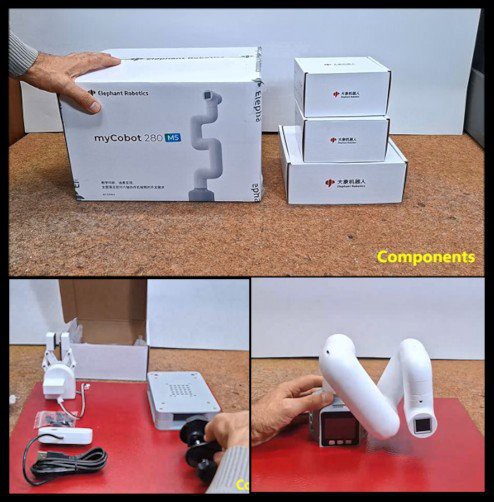
The main component in this kit is the Robotic Arm. Тhe box contains the Robotic Arm, power supply, a USB cable and wires for connecting external modules. There is also the basic instructions, certificate and links. From the very first glance, it is clear that it is solidly made and of high quality, and I will examine its functionality later.
MyCobot 280 is 6-DOF collaborative robot (Cobot) wich weighs 850g, has a payload of 250g, and an effective working radius of 280mm. It is small in size but powerful in function. It can be adapted to various application scenarios such as scientific research, education, smart home, and commercial research. As the name suggests, this model features an m5 stack, with three buttons as well as a large number of input/output ports and pins for controlling additional external devices. It supports multiple programming languages like Python, C++, Arduino, C# etc., and also the platforms Windows, Android, Mac OSX and Linux. The overall structure of the mechanical arm is simple and stylish and contains 6 high-performance servo motors with fast response, small inertia, and smooth rotation.
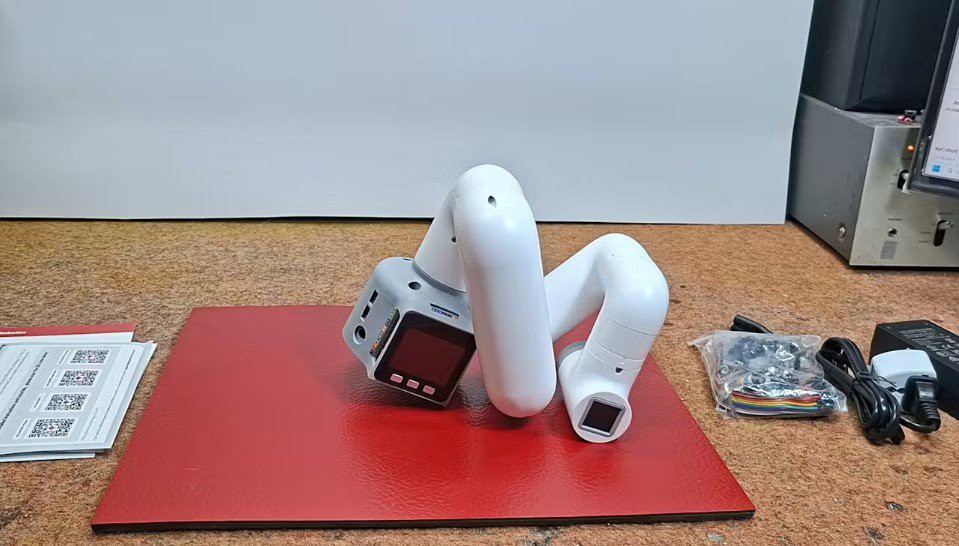
And before I start describing my custom project, I want to describe a simple way to "drag teaching". Drag Teaching is an intuitive method for programming the movements of a robotic arm, especially common in cobots and specialized industrial robots. Instead of using complex code, the operator can literally grab the robot arm and physically guide it through the desired path. The robot can then reproduce the recorded path with high precision at normal operating speed. In this way, we can most easily capture the performance of this Robotic Arm, such as accuracy, speed and smoothness of motion.
The following is a description of the main project that will demonstrate the functionality of all three components: the Robotic Arm, the camera, and the gripper. So I decided to develop a version of the well-known game Rock-Paper-Scissors in which each player simultaneously forms one of three shapes with an outstretched hand - Rock, Paper, And Scissors.
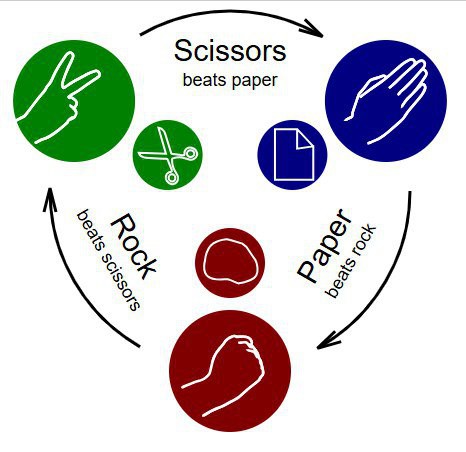
At a specific moment, which will be indicated on the display and with an audio signal, the human and the robot will show one of the three shapes and then, according to the rules of the game, the winner will be declared. Let me emphasize that the robot generates a shape completely randomly and at the same moment when it receives information that the human has displayed a shape.
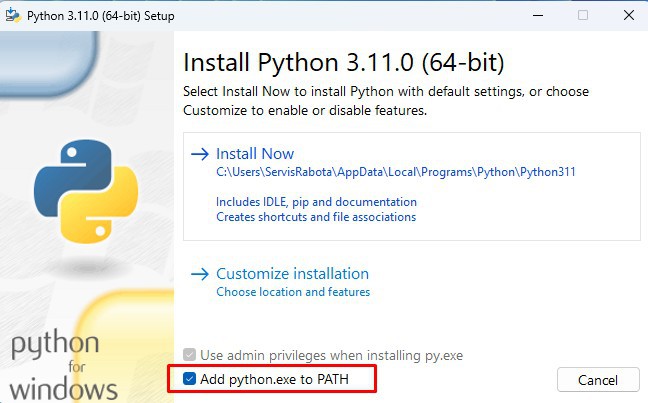
Let's start with the Python part. Here we use myCobot Camera Flange 2.0 which is connected to the PC via a USB cable. On Win10 and Win11 OS the camera is installed automatically. First of all, a Python environment with appropriate support (libraries) should be installed on the PC. Python version 3.11 is installed from the given link and during installation the "Add Python to PATH" option should be checked.
The Python program can use multiple tools to perform the given task. First I created a code with the OpenCV library but the ability to determine the shape of the hand was relatively weak. Then I created a code with the TensorFlow platform which worked well but the whole installation procedure was very complex. In the end I found the simplest but functional solution using the MediaPipe framework from Google.
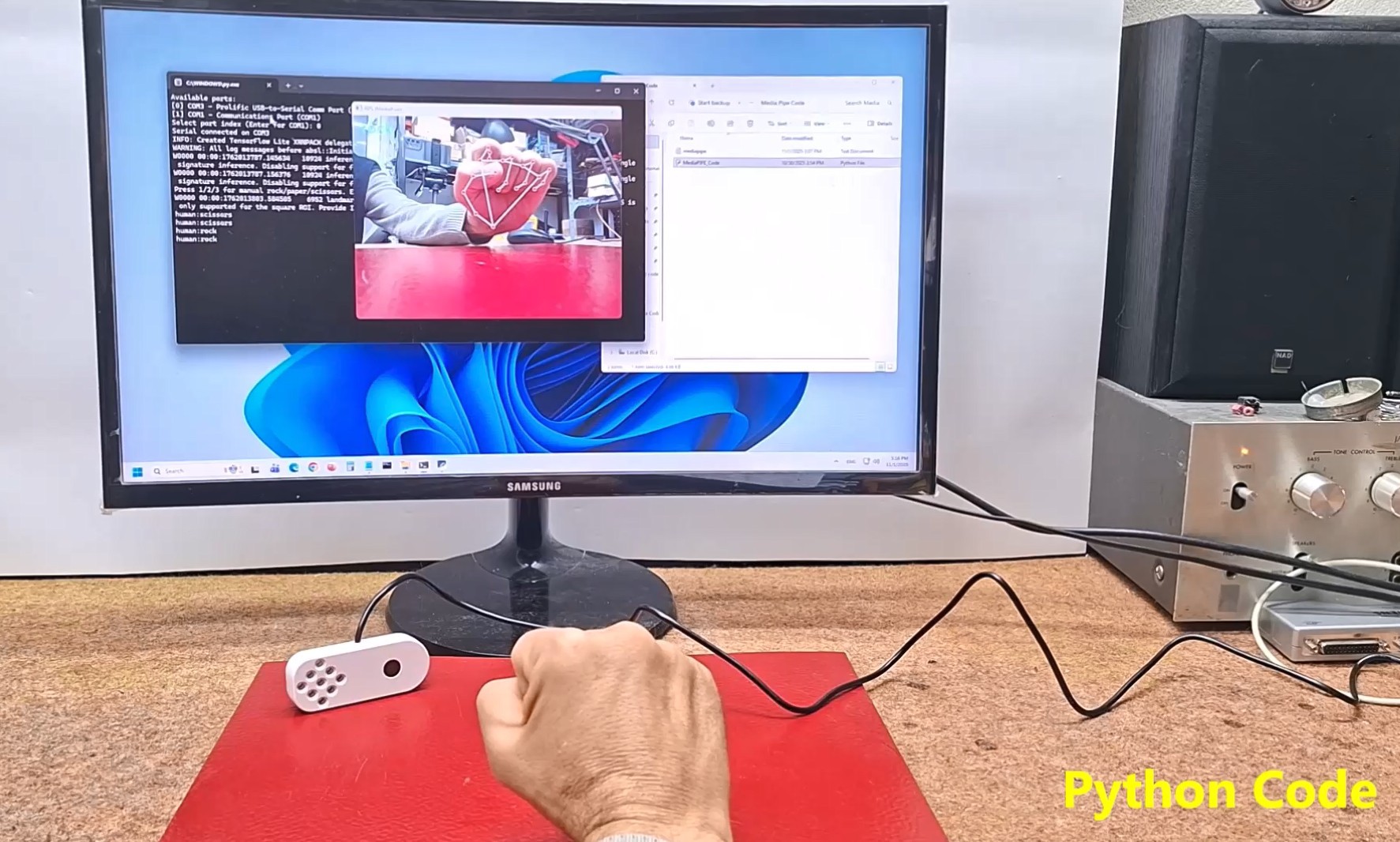
It is necessary to install several components by running two lines in the CMD (command prompt) one by one:
At the end of this text, the Python code named "MediaPIPE_Code" is given. We just need to start this Python script and in the cmd window we need to select the serial port on which the M5Stack...
Read more »
 BTom
BTom
 deʃhipu
 laurens.weyn