 Michael Wessel

X-MEM/80
A Minimally Invasive Memory Extension for the TRS-80 Model 1 and III
Authors: Michael Wessel and Mark Pruden
License: GPL 3
News
October 1st, 2025
- Official release of the Github and X-MEM/80 for the Model III.
September 20th, 2025
- Official release of the Github and X-MEM/80 for the Model 1.
About
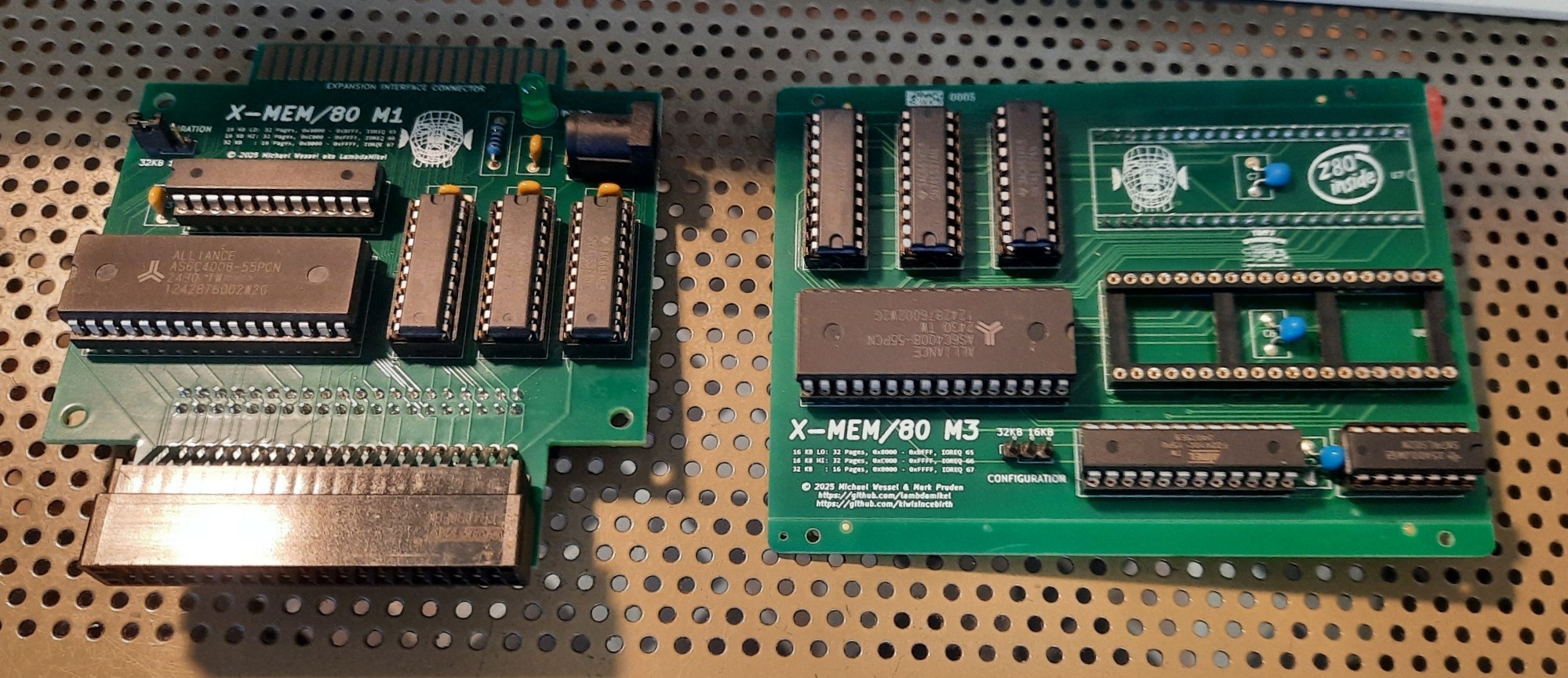
X-MEM/80 is a 512 KB paged memory expansion for the TRS-80 Model 1 and Model III. No permanent modifications are required for installation. The Model 1 version is entirely external (via expansion port edge connector), and the Model III version simply plugs into the existing Z80 socket on the Model III motherboard - the CPU needs to be relocated from the Model III motherboard onto the X-MEM/80 board, but it is already socketed. No motherboard modifications are required, but the RF shielding in the Model III needs to be removed.
Unlike previous memory expansions for the Model I (i.e., SuperMem), this is a minimally invasive memory expansion that does not require any soldering for installlation.
X-MEM/80 is partially SuperMem compatible, as it allows to "bank" the
upper 32 KBs (address range from 0x8000 to 0xFFFF) with the memory
on the card.
A jumper allows configuration in two different modes - SuperMem and X-MEM/80 modes:
-
in SuperMem mode, it offers 16 pages of 32 KBs, which are mapped into the
0x8000to0xFFFF(= upper 32 KB) range. To select the page number,out 67,<page number>is used. The page number can also be read back viainp 67. Unlike SuperMem, X-MEM/80 does not allow to bank the lower 32 KBs of the Model 1 memory. However, the existing SuperMem software (see below) doesn't seem to use this mode anyway, and works fine with X-MEM/80's SuperMem mode. -
in X-MEM/80 mode, it offers 32 pages of 16 KBs, which can be mapped to the lower and higher 16 KB page of the upper 32 KB range, i.e., the lower 16 KB page from
0x8000to0xBFFFand the higher 16 KB page from0xC000to0xFFFF. To select the lower 16 KB page,out 65, <lower page number>is used, andout 66, <higher page number>for the higher 16 KB page. Note that it is possible to map the same pysical 16 KB page into both the lower and higher address range (but this is usually not desirable).
The config jumper is shown in the top left corner here:

For the Model III version, a 3-pin 2-position switch can be used:

Model 1 Version
It plugs onto the Model 1 expansion port, either directly using the edge connector:

or via a short cable:


It can be used with or without the Expansion Interface (EI).
If used without EI, then you will have 48 KBs of RAM available to ROM BASIC (as well as the extra memory banks, of course):

If used with the EI, then it "shadows" (i.e., disables reads from) the DRAM memory installed in the EI. No modifications to either the Model 1 or EI are necessary:

Model III Version
The Model III version plugs into the CPU socket on the motherboard and works with any Model III regardless of internal memory configuration (no matter whether it has 16, 32, or 48 KBs installed):

Then, a cable with a 3-pin 2-position selector switch can be routed to the outside of the Model III case for mode selection:

The internal RF shielding needs to be removed - this won't affect Model III operation. Otherwise, you won't be able to close the case again. Careful with the monitor neck!! More than one person destroyed the CRT by breaking off the tube neck during re-assembly.

In addition, an extra 40 pin DIP precision socket is required and simply plugged into the existing Model III CPU socket. This provides a more stable connection, and, more importantly, adds some extra spacing between X-MEM/80 and the Model III motherboard. Note that there are electrolytic capacitors C217, C129, and C211 on the Model III motherboard (see the following picture) which will prevent X-MEM/80 installation without the extra spacing created by the precision socket otherwise:




 Tim
Tim
 Andy
Andy
 mars91
 M. Bindhammer