 Michael Wessel
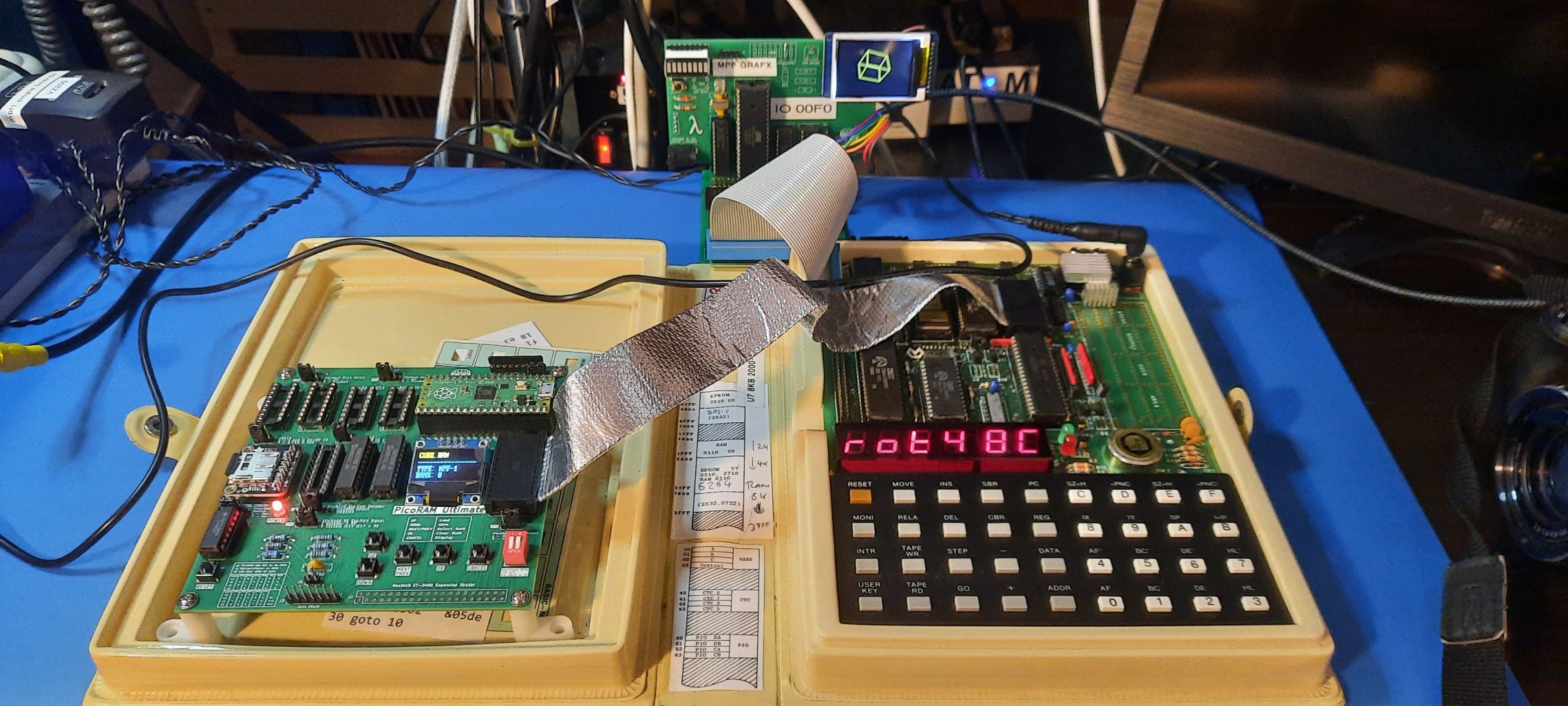
The 3D code that I am going to port is here:
https://github.com/bchiha/Z80_LCD_128x64_Graphics_Library/blob/main/lcd_3d_demo.z80
My GRAF-X card for the Microprofessor:
RetroChallenge 2025/10 Blog
Already have an account? Log in.
To make the experience fit your profile, pick a username and tell us what interests you.

The 3D code that I am going to port is here:
https://github.com/bchiha/Z80_LCD_128x64_Graphics_Library/blob/main/lcd_3d_demo.z80
My GRAF-X card for the Microprofessor:
This is my final RetroChallenge 2025/10 VLog Update. Double buffering has been implemented by now!
For double buffering, we are using the Adafruit Canvas object. Unfortunately, it turned out that Adafruit's drawBitmap is far too slow, even at max SPI bus frequency, and I needed to find a workaround. This solution is drawBitmapFast, and can be found here: https://github.com/adafruit/Adafruit-GFX-Library/issues/415
Alright guys, that's it! RC2025/10 is wrapped up for me! Looking forward to next year's RC challenge. Until then, enjoy your retro computers. Bye for now.
YouTube Video Description:
EDIT: I am actually talking about the WAIT signal on the Z80 CPU, NOT the HALT signal.
After the problem causing the graphics glitches and CPU crashes shown in VLog Update #1 was fixed (PicoRAM firmware update and ULTIMATE.INI file ADC levels adjusted), there is some more progress to share on the Z80 software side of things - check out this auto-magically rotating 3D cube! We can now record and playback rotation and zoom operations using a 256 byte record and playback buffer for "Cube Operations". One more update and we are done with this year's RetroChallenge 2025/10 - stay tuned for Update #3 next weekend!
The glitches seen in the previous video (Update #2) are fixed - this turned out to be completely unrelated to the MPF-GRAFX card, but was caused by PicoRAM Ultimate. An uncaught "glitch" in the SRAM emulation due to noisy ADC button decoding. I have pushed a firmware update to PicoRAM Ultimate and PicoRAM 6116. The problem was that due to bad and noisy ADC thresholds button presses were detected that weren't real. Now, each time a button press is registered, the SRAM emulation is temporarily halted... but it requires the Z80 WAIT line to be connected, which I had not. This caused the issues. Obviously, you can't just halt SRAM emulation and not halt the CPU and expect it to run properly. The problem was fixed by adjusting the ADC threshold levels in the UTLIMATE.INI (or, 6116.INI). But I added some UI Error Message now if such a "spurious" button press is detected caused by noisy ADC and inappropriate analog threshold levels in the init files. Hopefully, this will make the effect at least visible if it should happen again to someone. Because it really was a head scratcher, given that there was no visible indication for this error other than the CPU crashing or glitching. Now we at least see what's going on, and can the manually adjust the thresholds in the init files. Phew!
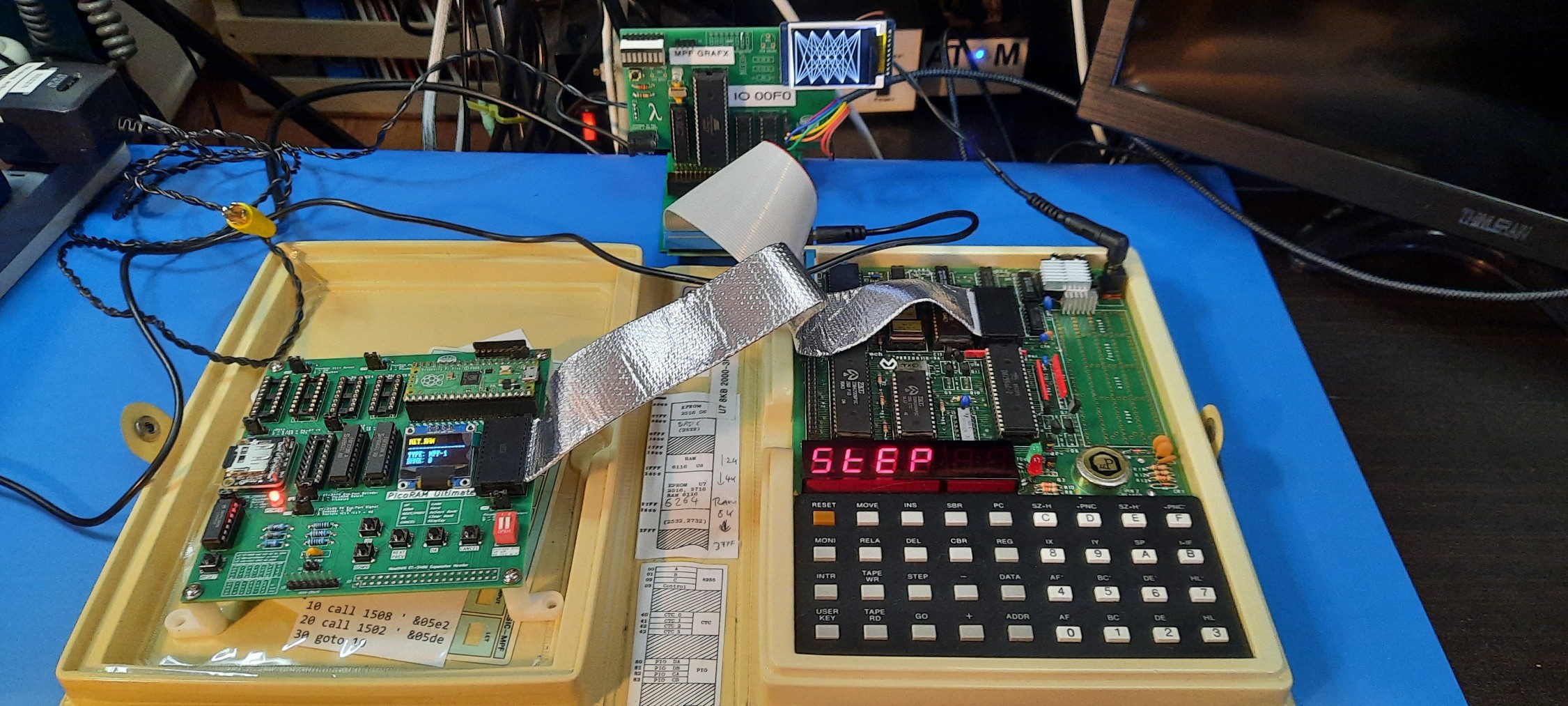
I ported Brian Chiaha's code to the Microprofessor + MPF-GRAFX card. Still some glitches, but overall - it works! It was remarkably little work - after all, Z80 machines are not that different. And the code was very well written, with very clear documentation and well-documented TEC-1 firmware calls etc. Thanks, Brian!
So, here we go:
And here is my first VLog entry for the RetroChallenge:
To support double buffering for the rotating cube, we will need more (video) RAM. Currently, MPF-GRAFX is using an ATmega644p @ 20 MHz. The 1284p is fully pin- (and software?) compatible but has four times the SRAM amount (16K instead of 4K). That's actually twice as much as I thought - nice! And should give us plenty of video SRAM to support double buffering (and maybe even for a color display?) for the Adafruit graphics library being used here.
So, I swapped the ATmega 644p @ 20 MHz with the 1284p. If was hoping it would run out of the box, but:
It didn't even initialize the SPI display. Something was wrong. Fuses maybe? Maybe MightyCore didn't work well enough for the 1284p? Maybe the Adafruit Library? SPI speed? I changed the display initialization sequence
  tft.initR(INITR_BLACKTAB);
  //tft.setSPISpeed(1000000);
trying various settings, with and without explicit SPI speed setting. Nothing worked.
OK, so maybe starting ATmega with the SPI display (which is complex) and expecting this to work out of the box isn't the best debugging strategy. So, does the thing run *at all*? It's always good to have a couple of LEDs on board... so before starting up SPI and the display, I put some code in to flash the LEDs as the first thing in "setup" to see if the ATmega was running code at all. And - nothing! So, something was fundamentally wrong.
My next guess was - maybe I (accidentally) bought a 16 MHz one, and the 20 MHz clock was simply too much and on the edge of this design. So, I swapped the 20 MHz crystal with a 16 MHz one:
and changed the clock settings in MightyCore accordingly:
To my relief I could now see LED activity upon boot, and even the display initialized correctly! Phew!
But, would it work with the Microprofessor? Let's see:
Alright, we are all set now for working on the firmware to support double buffering and can indulge ourselves with Z80 programming as well, trying to port the rotating 3D cube to the Microprofessor and GRAFX card now. Seems the hardware side of things is done - I would call that progress!
Stay tuned, the next update is coming soon (hopefully, before the RetroChallenge RC2025#10 runs out ;-) )




 Samuel A. Falvo II
 sup4rl33thax0r
 fcipaq
 Jorj Bauer