Close
0%
0%

PicoRAM 6116 - SRAM Emulator & SD Card Interface

Give your Microprofessor MPF-1B (and other machines) a versatile SD card interface - no more cassettes!

Similar projects worth following
Emulate 2 KBs of 6116 SRAM with a Rasperry Pi Pico and use an SD card for storing and loading full memory dumps. It's first use case is to emulate the U8 2 KB system RAM from 0x1800 to 0x1FFF on the Microprofessor MPF-1B, and the U5 2 KB system RAM from 0xF800 to 0xFFFF on the Microprofessor MPF-1P. You won't need the cassette interface any longer - just use the SD card. This Hackaday page mostly hosts the (historic) development logs; for the latest version, have a look at the Github repo: https://github.com/lambdamikel/picoram6116 This project is a follow-up to https://hackaday.io/project/192655-picoram-2090 Also see https://www.hackster.io/news/michael-wessel-s-raspberry-pi-pico-powered-6116-sram-emulator-gives-vintage-sbcs-a-major-overhaul-2324810b773c

Please check out the Github for all future updates: 
https://github.com/lambdamikel/picoram6116


A follow-up to my 2114 SRAM Emulator. 

This time I am targeting the 6116 SRAM chip - full 2 KBs and a serious CPU at full speed (i.e., Z80 @ 1.8 MHz etc.)

Features

  • Raspberry Pico-based SRAM 6116 emulation, fully software-based
  • SD card for storing and loading of full 2KB memory dumps
  • comfortable UI with OLED display for file operations
  • ASCII HEX / FAT32 format facilitates file exchange and creation, e.g., with a PC assembler 
  • 4 user-selectable memory banks (UI buttons)
  • powered directly over the 6116 power lines
  • external power supply supported
  • some nice LEDs
  • versatile (i.e., should work with other 6116-based computers)


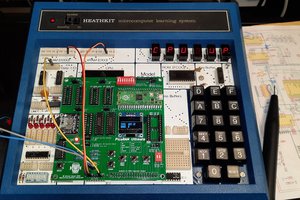
The Microprofessor MPF-1B is the first victim - it's 2 KB user & system RAM (U8) from 0x1800 - 0x1FFF is replaced by PicoRAM 6116:
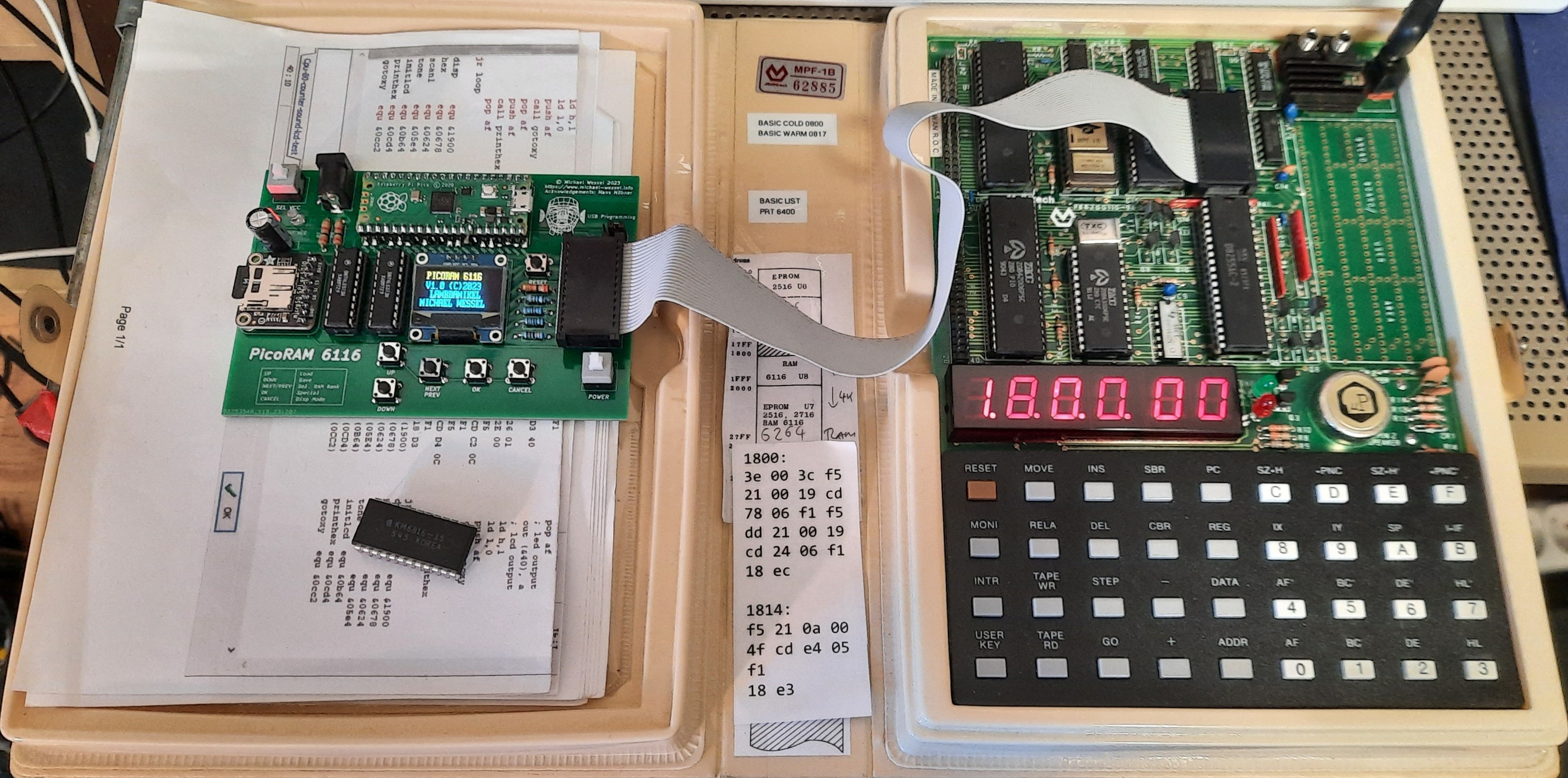
Video:

The Microprofessor MPF-IP (One Plus, 1P) is the second victim - it's 2 KB user & system RAM (U5) from 0xF800 - 0xFFFF is replaced by PicoRAM 6116:

Video:

Theory of Operation

Well, this was a piece of work, and I wouldn't have succeeded without my trusted HP 1662A Logic Analyzer (see below for some details).

The first challenge was a lack of GPIO pins on the Pico. This wasn't a problem with my previous PicoRAM version, the 2114 emulator - the 2114 only required 10 address lines, 4 data lines, and a single WE (Write Enable) line. The Busch 2090 Microtronic which was the target platform for the emulator didn't even utilize the OE (Output Enable) line. In contrast, the 6116 now demanded a whooping 8 bits of data IO, 11 bits for the address bus, plus OE and WE - 21 GPIOs of the max. 26 that the Pico offers. 
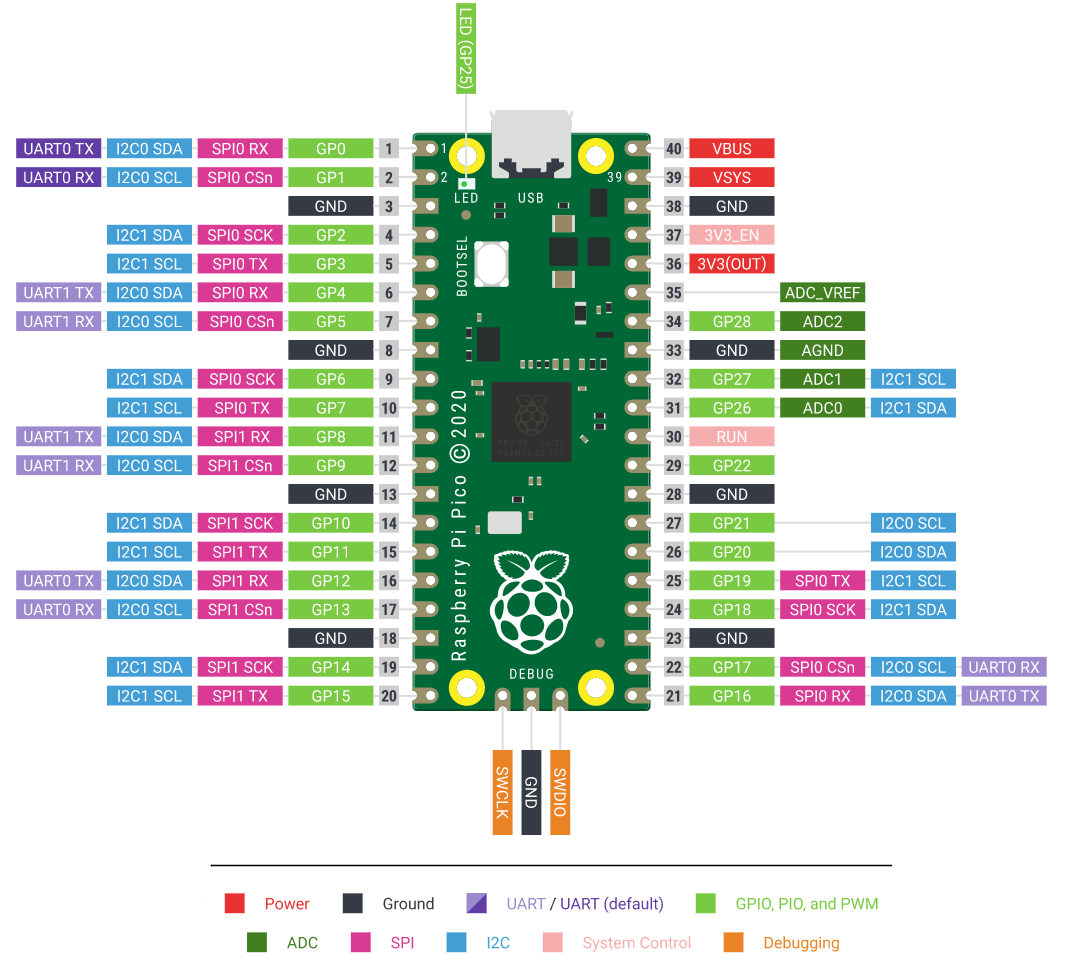
And, some of these had to be used for I2C and SPI, given that I wanted to keep the OLED display and SD card module. In addition, one analog pin for reading the 5 buttons. Hence, another 7 GPIOs became unavailable. I was hence short of by exactly 2 GPIOs to realize my dream design!

As a solution, I decided to multiplex the address bus - using 2x 74LS373 transparent 8bit latches, I came up with a design that introduced two multiplexing lines SEL1 and SEL2 to read the address in two batches - A0 to A5 in the first batch, and A6 to A10 in the second batch. The two latches are basically just used for their tri-state / High-Z ability; I am not even using them as latches. The LE is constantly kept high / 5V, making them transparent, i.e., any change to their inputs is immediately mirrored to the outputs, if enabled (their OEs are connected to SEL1 and SEL2, respectively).
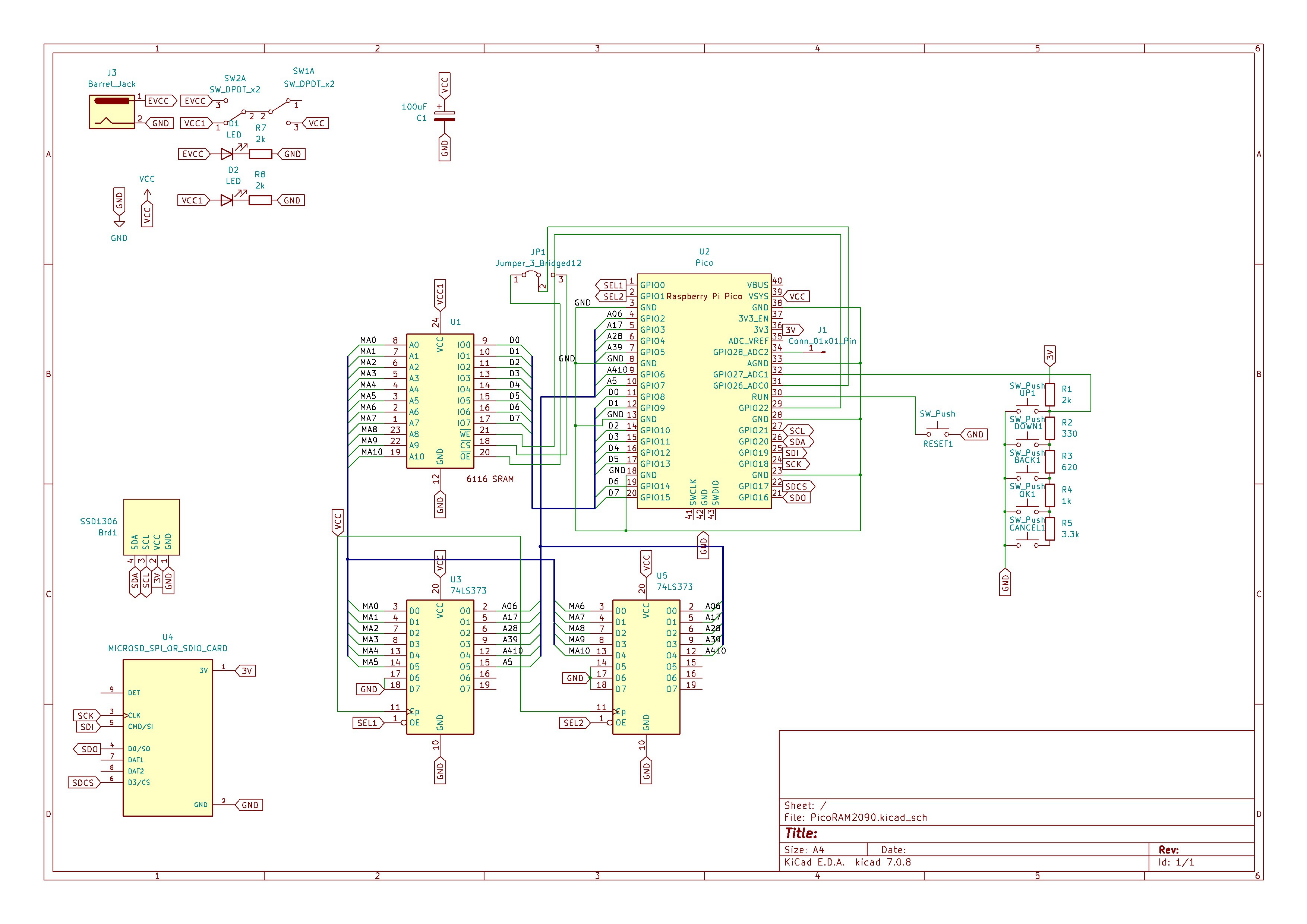
Using this design, I now even had one spare GPIO left! I still don't have any good idea what to do with it, so it's just left as an open pin on the final version of the PCB (the extra pin is not shown in the video yet). Maybe for sound output. It was already extremely useful for analyzing the Pico's timing, i.e., determining the exact execution time of a piece of firmware code in nanoseconds (-> HP Logic Analyzer).

Please note that, unlike my previous PicoRAM 2090 2114 SRAM emulator, I did not include any level shifters or resistors networks. This Hackaday article, and my practical experience with PicoRAM 2090 running for hours without damage without voltage level conversion, convinced me that the Pico / RP2040 really is 5V tolerant. So I am not expecting any issues from that.

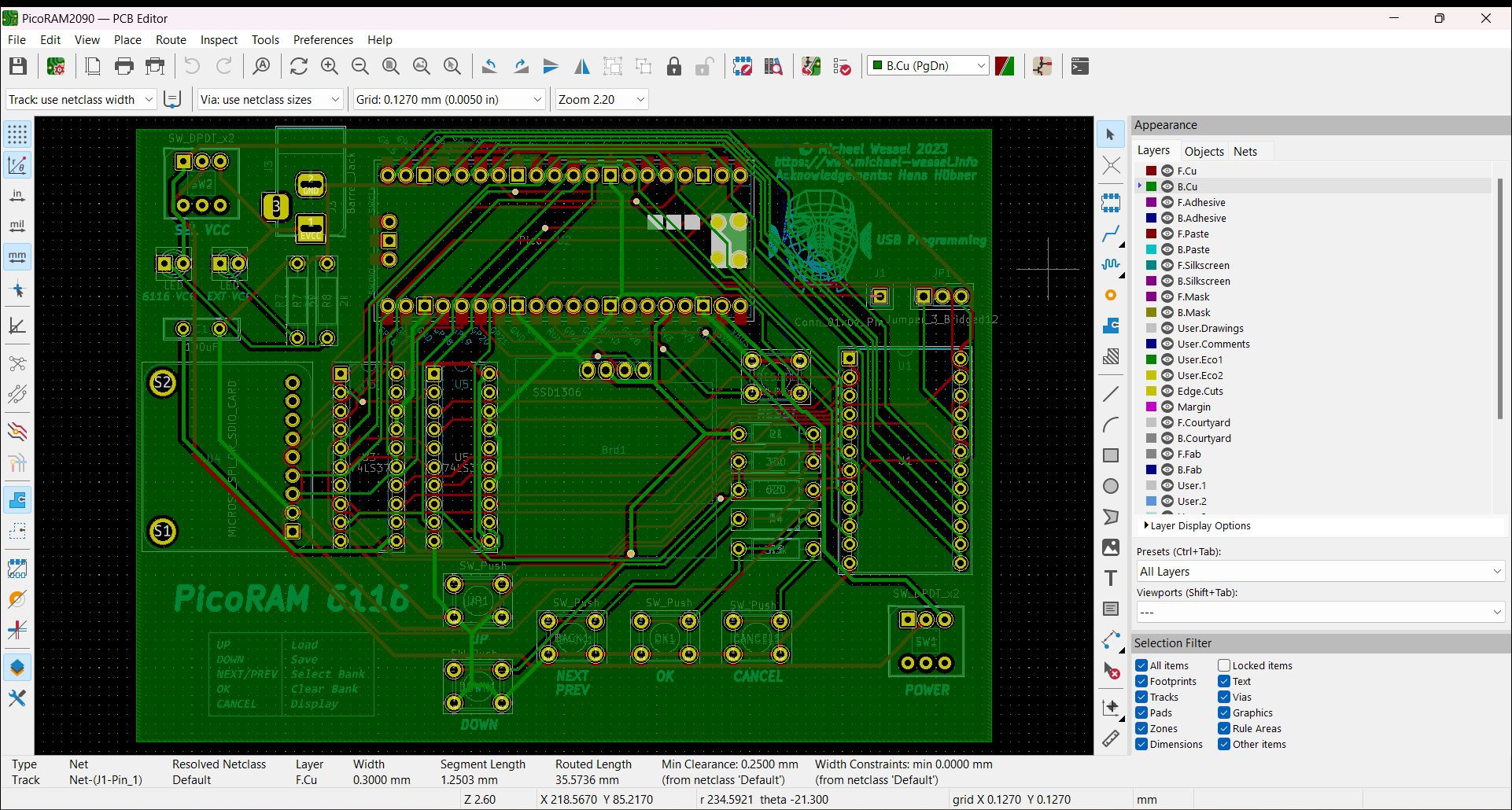
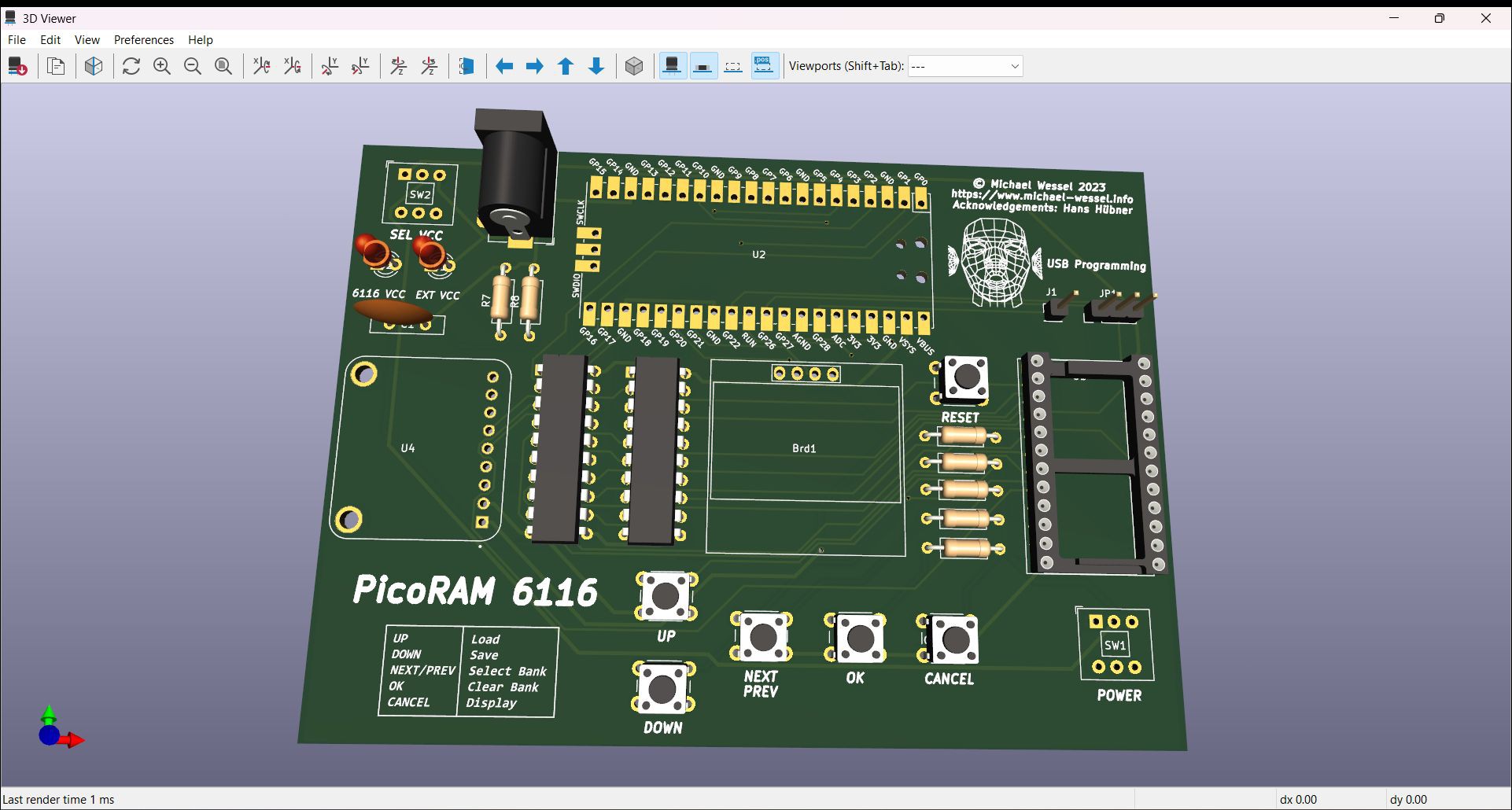
After a number of iterations, the final PCB looks like this - I have to confess that I needed 4 iterations this time. The availability of very inexpensive PCB production services in the far east made me definitely a bit more careless and more daring in that regard compared to previous projects. Also, I didn't do a breadboard prototype this time... my 3rd iteration PCB (seen in the demo video above) still has a glitch that requires a bodge wire - I forgot to connect LE to VCC...
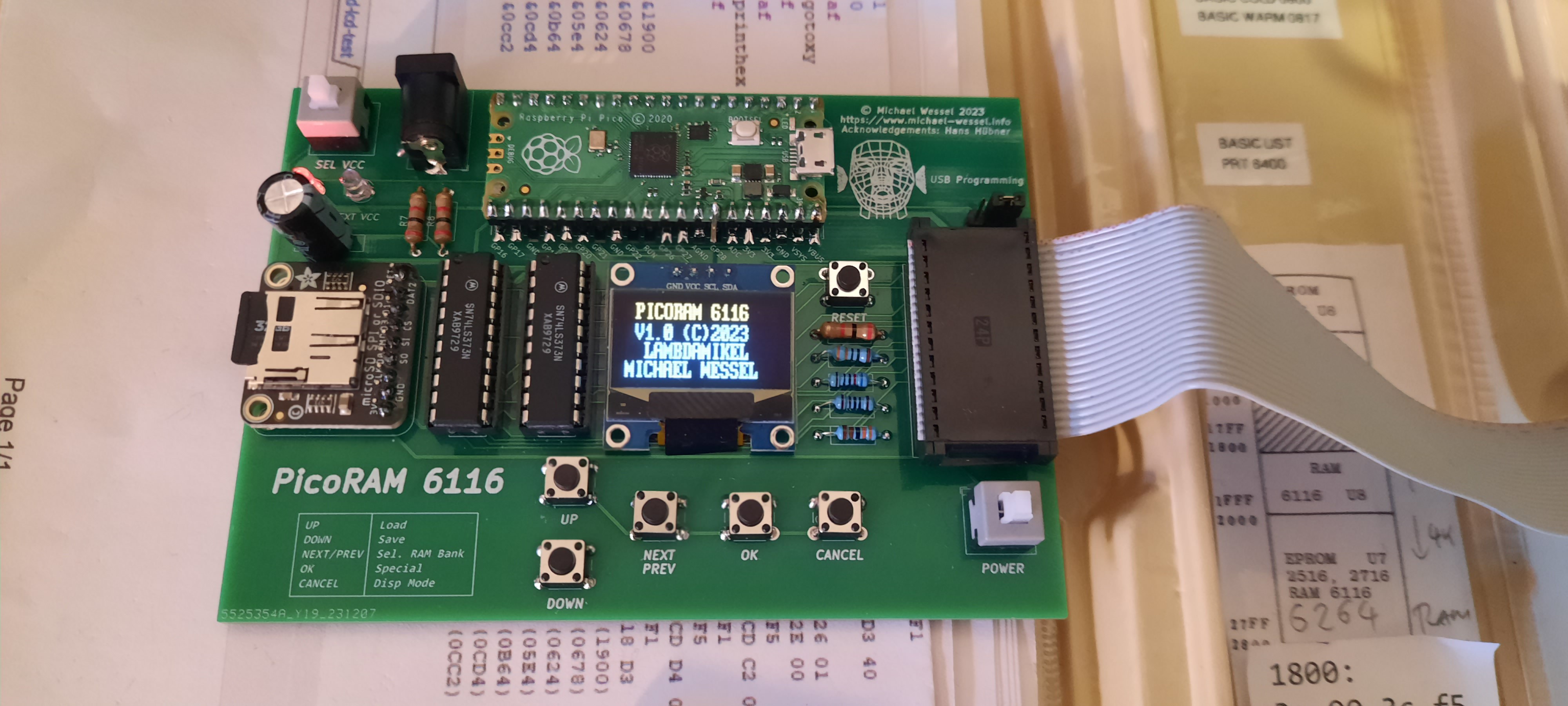
This is the final version: 
The MPF-1B video shows Rev....

Read more »

MPF-1P-PROGS.zip

SD Card Content for MPF-1P

x-zip-compressed - 1.18 kB - 12/26/2023 at 23:19

Download

MPF-1B-PROGS.zip

SD Card Content for MPF-1B

x-zip-compressed - 2.77 kB - 12/26/2023 at 23:18

Download

6116-MPF-1P.INI

6116.INI for MPF-1P (One Plus / IP)

ini - 56.00 bytes - 12/26/2023 at 22:54

Download

6116-MPF-1B.INI

6116.INI file for MPF-1B

ini - 77.00 bytes - 12/26/2023 at 22:45

Download

sram6116.zip

Latest Firmware Version 1.1

x-zip-compressed - 51.59 kB - 12/26/2023 at 22:37

Download

View all 7 files

  • 1 × Rasperry Pi Pico https://www.amazon.com/waveshare-Pico-Microcontroller-Development-High-Performance/dp/B08TVF499B/
  • 1 × Adafruit Micro SD SPI or SDIO Card Breakout Board - 3V ONLY! https://www.adafruit.com/product/4682
  • 1 × OLED I2C IIC Display Module 12864 https://www.amazon.com/gp/product/B09C5K91H7/ref=ppx_yo_dt_b_search_asin_title?ie=UTF8&th=1
  • 1 × Barrel Jack 5V Connector Generic
  • 5 × Resistors: 3.3k, 2k, 1k, 330, 620 Generic

View all 12 components

  • Nasty firmware bug fixed!

    Michael Wessel10/18/2025 at 14:14 0 comments

    I had a pretty nasty firmware bug encountered during my RetroChallenge 2025/10 contribution:

    https://hackaday.io/project/204153-3d-graphics-on-the-microprofessor-mpf-1b


    This is fixed now: 

    An uncaught "glitch" in the SRAM emulation due to noisy ADC button decoding. I have pushed a firmware update to PicoRAM Ultimate and PicoRAM 6116. The problem was that due to bad and noisy ADC thresholds button presses were detected that weren't real. Now, each time a button press is registered, the SRAM emulation is temporarily halted... but it requires the Z80 WAIT line to be connected, which I had not. This caused the issues. Obviously, you can't just halt SRAM emulation and not halt the CPU and expect it to run properly. The problem was fixed by adjusting the ADC threshold levels in the 6116.INI. But I added some UI Error Message now if such a "spurious" button press is detected caused by noisy ADC and inappropriate analog threshold levels in the init files. Hopefully, this will make the effect at least visible if it should happen again to someone. Because it really was a head scratcher, given that there was no visible indication for this error other than the CPU crashing or glitching. Now we at least see what's going on, and can the manually adjust the thresholds in the init files. Phew! So, it wasn't really a "firmware bug", as it worked as intended. But, I wasted a lot of time chasing red herrings because the spurious button presses were happening without me becoming aware of them. This specific ADC button level fell through the button decoding "switch / case" in the UI thread running on the second core, and a default case was missing - this is where the error message is being raised on the display now to make the user aware that his ADC threshold levels in the init files are inadequate. 

    Checkout the new firmware here: 

    https://github.com/lambdamikel/picoram6116

  • New build and demo video by "Mein Elektronik Hobby" (in German)

    Michael Wessel10/17/2024 at 03:59 0 comments

    New build and demo video on the YouTube channel "Mein Elektronik Hobby" (in German). Glad it worked out of the box for you, Werner, and thanks for the positive review!


  • Using EPROM Images without EPROMS

    Michael Wessel07/08/2024 at 14:21 0 comments

    The U7 socket on the Microprofessor MPF-1 is usually occupied by a 2716 EPROM containing user programs (or Tiny BASIC). However, by cutting a few PCB traces and setting the J1 jumper accordingly, it can also accommodate an additional 2 KBs of memory, using a 2nd 6116 SRAM. Hence, PicoRAM 6116 can be used instead of a standard 2716 user EPROM in U7. I got a couple of programs in a 2716 EPROM BIN image from the user DISCMIX on the German Classic Computing (Vintage Computer) Forum. In this video we are running his programs via PicoRAM 6116, and I also demonstrate how to convert EPROM BIN images such as the ones I got from DISCMIX into a PicoRAM digestible HEX format.

  • John's MT-80Z Microprofessor variant with PicoRAM 6116

    Michael Wessel06/12/2024 at 16:12 0 comments

    John W. added PicoRAM 6116 to his E&L MT-80Z MPF-1B clone and, after initial troubles, got it to work flawlessly. Very nice machine and progress - thanks for sharing, John! Good to know that PicoRAM 6116 also works well with the less common Microprofessor family members.

  • Using the MPF-1P Printer and PicoRAM 6116 simultaneously

    Michael Wessel04/13/2024 at 19:46 0 comments

    Let's print out a solution for the Towers of Hanoi with 5 disks:

  • The Towers of Hanoi on the MPF-1P!

    Michael Wessel04/12/2024 at 17:53 0 comments

  • Next-Level Software Development with PicoRAM 6116

    Michael Wessel02/26/2024 at 05:56 0 comments

    PicoRAM 6116 is taking Microprofessor MPF-1B software development to the next level - instead of keying in hex codes with the monitor, use a comfortable state-of-the.art Z80 assembler on the PC or Mac, assemble / compile the HEX file there, put it on SD card, and feed it to the Microprofessor! In this video I am developing a "Towers of Hanoi" program for the MPF-1B (recursive version) using asm80.com:

  • Github repo available!

    Michael Wessel12/27/2023 at 17:08 0 comments
  • Firmware v1.1 Release - "6116.INI File" Support

    Michael Wessel12/26/2023 at 22:42 0 comments

    Given the difference in ADC level configuration for the MPF-1P and MPF-1B, I decided to make these configurable. PicoRAM 6116 now reads the 6116.INI file on startup. The file specifies the machine type (MPF-1B or MPF-1P), ADC analog levels for the 5 buttons, 4 auto-load programs for the 4 banks which are loaded on startup, and one more flag (0 or 1) which can be used to debug / determine the voltage ADC levels for the analog buttons. If 1 is used, PicoRAM enters a "debugging loop" which constantly prints the ADC value on the display. The user can then press the buttons and note the values to be specified in the INI file for button configuration.

    I am attaching two 6116.INI files to the files section of the project (one for the MPF-1B, one for the MPF-1P). These need to be renamed as 6116.INI.

    This is the 6116.INI file for the MPF-1B - note that the file requires UNIX EOL (i.e., single LF EOL): 

    MPF-1B
    D00
    C00
    900
    700
    300
    100
    CLOCK.MPF
    DICE2.MPF
    COUNTER2.MPF
    EGGTIME.MPF
    0

  • PicoRAM and the Microprofessor MPF-IP (One Plus)

    Michael Wessel12/25/2023 at 16:08 0 comments

    To my surprise, PicoRAM 6116 () worked almost out of the box on the faster (Z80A-driven) MPF-IP. The only thing I needed to adjust was the analog input for reading the UI buttons - VCC is much more noisy on the MPF-IP; I guess that's because of the VFD. Also, this is Rev. 4 now of the PCB - the little bodge wire pulls down the WAIT line of the Z80. I hence no longer have to hold the Microprofessor in RESET while operating the PicoRAM (or during boot / power cycle).

View all 14 project logs

View all instructions

Enjoy this project?

Share

Discussions

Michael Wessel wrote 12/17/2023 at 15:18 point

Thanks Ken - ha, yeah, emulating the Pico with the 6116 would be an even bigger challenge I guess :rofl

  Are you sure? yes | no

Ken Yap wrote 12/17/2023 at 05:41 point

Very nice job. 👍 The debugging possibilities are endless. Too bad the emulation can't go the other way as I have this pile of 6116 RAM chips... ☹️🤷

  Are you sure? yes | no

Similar Projects

Does this project spark your interest?

Become a member to follow this project and never miss any updates